

Fathom-Meeting-Follow-ups
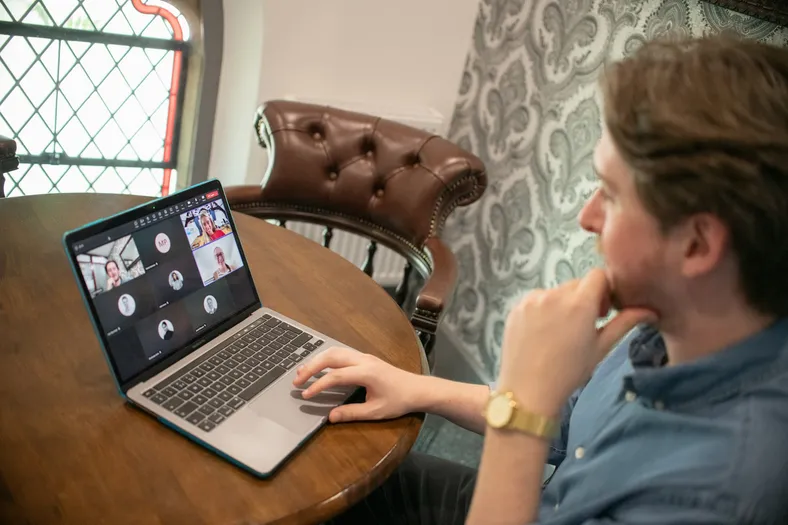
Follow-ups für Kundengespräche, die du mit Fathom aufzeichnest: Jedes beendete Gespräch landet mit der Zusammenfassung von Fathom und dem Transkript in der Tabelle „Meetings“, Teable AI hält fest, wer was bis wann erledigt, und entwirft die Recap-E-Mail an den Kunden, die der Host mit 1 Klick freigibt. Lass Teable AI den Ton der E-Mail, ein Feld oder die Empfänger ändern.
Das Ergebnis
Every client call turned into owned items and a sent recap.
- Each Fathom call lands with its summary, transcript and attendees
- Teable AI pulls out action items with an owner and a due date
- The host edits the recap and approves it; it goes out once
Was deine Kunden bekommen
One recap after each call, with who does what by when.
- A recap in the host's words, read by the host before it goes
- Decisions and next steps, each with one owner and a date
- Replies go straight to the host, not a no-reply address
Fathom takes the notes. One click sends the recap.
- 59%
- of meetings need a second one to fix it
- 8 hours
- a week in meetings, a full working day
- 1 click
- for you, with a sample firm inside

Alder Lane
Hi, Maya
To send
- WillowbrookRollout check-in
- AshgroveKickoff call
- My items
- Rollout planFor Willowbrook
- Offsite venueWeekly sync
Done
Done today
Recent calls
- Harrow FoodsNov 18 · Caleb WardSent
- Weekly syncNov 16 · InternalNo follow-up
- Orchard FreightNov 12 · Maya ChenSent
Maya ChenPartner at Alder Lane
- RolePartner
- Calls fromFathom
- Signs asMaya Chen
Ashgrove kickoff: "The board date works. That's agreed then."
Tap Approve to try it
Straight from Fathom
When Fathom's summary is ready, the call lands with its attendees sorted.
Try: approve Ashgrove
Who does what, by when
Teable AI pulls each action item out of the call, with an owner and a due date.
Try: tick off the rollout plan
Approved once, sent once
The host edits the recap Teable AI drafted and approves it; it goes out once.
Try: approve Willowbrook
Try it, then make it yours.
Works with the tools you keep
This template connects them. You don't have to leave them.

Was drin ist
Alles hier unten läuft sofort, mit Beispieldaten, und ist bereit für deine Änderungen.
4 Tabellen
- Settings
2 Felder
- Team
4 Felder
- Meetings
26 Felder
- Action items
10 Felder
3 Automatisierungen
- Add action items
Wenn ein Datensatz in „Meetings“ die Bedingungen erfüllt
- Send approved follow-ups
Wenn ein Datensatz in „Meetings“ die Bedingungen erfüllt
- Meetings from Fathom
Wenn eine verbundene App ein Ereignis meldet
1 App
- Follow-ups
Eine App auf Basis der Tabellen
Verbindungen
- Fathomconnect at install
Über diese Vorlage
So beschreibt es Bieber.
Was drin ist
- Meetings: every call Fathom recorded, with attendees marked internal or external, Fathom's summary, the transcript and the recording link, plus the decisions and a follow-up draft (AI)
- Action items: who does what by when from each call, matched to your team by name or email, with an Overdue view
- Team und Settings: who records calls, your firm's name and your email domains
- Meetings from Fathom (automation): a call you recorded is added once Fathom's summary is ready
- Add action items (automation): Teable AI's notes become action items with owners and due dates, and a draft signed by the host
- Send approved follow-ups (automation): an approved follow-up goes to the client's attendees once, with a copy to the host
- Follow-ups (app): each person's open items with the late ones on top, and every meeting's summary, items and draft to edit and approve
Get started
- Put in your firm and team. Your email domain in Settings, and everyone who records calls in Team.
- Connect your Fathom. Calls you record from then on land in Meetings.
- Approve the first follow-up. Edit the draft in Follow-ups; it goes out once.
Connect after you install. Grant your Fathom as FATHOM to Meetings from Fathom. It brings in the calls that account records, from the moment you connect (Fathom doesn't send older calls). Follow-ups are sent by Teable's email under the host's name, with a copy to the host, and replies go to the host. Nothing is sent until someone approves it.
Sign-in. Your team signs in to Follow-ups with Teable, Google or a one-time code sent to their email.
Comes with sample data for a made-up operations consultancy, Alder Lane Consulting, and five of its calls. Every sample client is on a reserved example domain, and sample follow-ups are never emailed.
1 Klick. 1 Satz. Deins.
-
Klick auf dieser Seite auf „Vorlage verwenden“. Du bekommst 4 Tabellen, 3 Automatisierungen und 1 App direkt in deinem Teable, sofort einsatzbereit und mit Beispieldaten. Verbinde Fathom, sobald die Vorlage danach fragt, und fertig.
-
Sag Teable AI in deinen eigenen Worten, was bei dir anders ist: „Email each owner their action items the morning after the call.“ Teable AI passt dann Felder, Schritte und Oberflächen an.
-
Die 3 Automatisierungen laufen von selbst, und deine Kunden bekommen Antworten im Namen deines Betriebs. Du kümmerst dich nur noch um dein Geschäft.

 Vorlagen


Mehr für Beratung
Die meistgenutzten zuerst.
-
B2B-Partnerakquise
Creator-Akquise für Softwareunternehmen auf Partnersuche.
-
Projekt-Tracker für Agenturen
Aufgaben-Tracker für Agenturen, die für mehrere Kunden arbeiten: ein Kunde an jeder Aufgabe, Stunden, die auf das Budget jedes Projekts gebucht werden, und ein Status „Bereit für den Kunden“ für jedes Arbeitsergebnis.
-
Retainer-CRM für Agenturen
Kunden-CRM für Agenturen mit monatlichen Retainern: Monats-Retainer statt einmaliger Angebote, verbrauchte Stunden im Vergleich zum Paket jedes Kunden und eine Verlängerungserinnerung 30 Tage vor Ende eines Retainers.
Starte mit Fathom-Meeting-Follow-ups
1 Klick zum Starten, 1 Satz und sie passt zu deinem Geschäft. Keine Entwickler und keine App, die jeder andere Betrieb schon hat. Du willst Hilfe beim Einrichten? Unser Team geht es gemeinsam mit dir durch.


