

Square-Nachbestellungen
Nachbestellungen für einen Laden, der an der Kasse mit Square verkauft: Deine Artikel und Bestände kommen aus Square, alles, was den Meldebestand erreicht oder unterschreitet, landet auf der Nachbestellliste, du schickst jedem Lieferanten eine einzige Bestellung per E-Mail, und wenn die Lieferung eintrifft, zählt dein Team die Ware ein und der Bestand in Square steigt. Lass Teable AI die E-Mail, eine Spalte oder eine Seite ändern.
- Erstellt vonBieber
- Installationen0
- BrancheEinzelhandel & E-Commerce
- Aktualisiert20. Nov. 2026
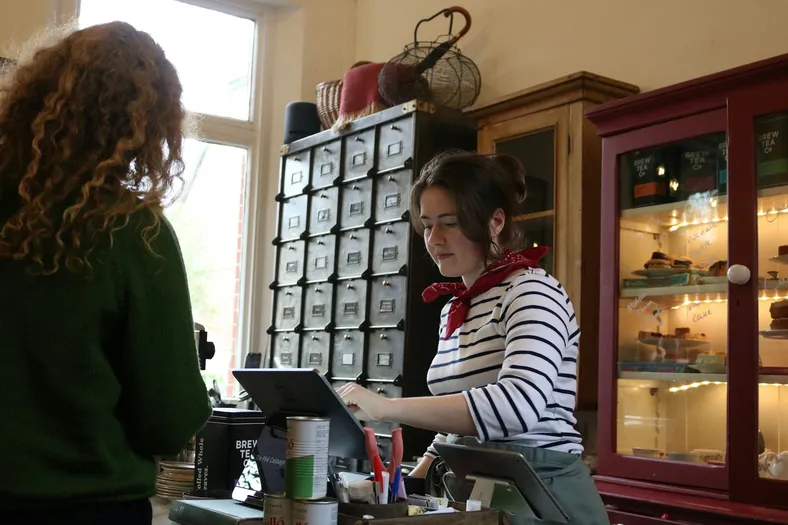
Das Ergebnis
What's low in Square is reordered before it runs out.
- Square's items and counts come in every 8 hours, or at a tap
- At its reorder point, an item lands on its supplier's order
- Deliveries counted in at the counter go back up in Square
Was deine suppliers bekommen
One clear purchase order by email, with your quantities.
- One email per order, with each item, SKU and quantity
- Their reply goes straight to your inbox
- Never the same order twice, even if someone taps again
Square rings up the sale. You reorder before it runs out.
- ~1 in 4
- small shops find a stockout at checkout
- Over 50%
- of small retailers count stock by hand
- 1 click
- for you, with a sample gift shop inside

Little Wren Gifts
Hi, Maya
Low stock
- Lumen Candle2 candles · $264
- PaperleafCards, notebook · $168
- Coming in
- ClayworksPO-1002 · 18 items
- From Square
- Tea towelLemons · reorder at 6
Orders
Done today
Earlier
- Clayworks StudioNov 12 · PO-1002Sent
- Paperleaf PressNov 9 · received by Sam+51
- Lumen Candle Co.Oct 30 · received by Sam+24
Maya OrtizOwner · Little Wren
- RoleOwner
- Counts fromSquare
- Low now6 items
Fig & Cedar candle is down to 3.
Tap Send or Receive to try it
Square says what's running low
Jeden 8 hours Square's counts come in; um its reorder point, an item is on the list.
One order per supplier
Tap Send and the supplier gets one email with every low item, never twice.
Try: send Lumen Candle
Counted in, and Square goes up
Sam counts the Clayworks box in, and Square adds 12 mugs and 6 vases.
Try: receive Clayworks
Try it, then make it yours.
Works with the tools you keep
This template connects them. You don't have to leave them.

Was drin ist
Alles hier unten läuft sofort, mit Beispieldaten, und ist bereit für deine Änderungen.
6 Tabellen
- Settings
8 Felder
- Team
3 Felder
- Suppliers
7 Felder
- Items
14 Felder
- Purchase orders
21 Felder
- Order lines
14 Felder
4 Automatisierungen
- Pull stock from Square
Alle 8 Stunden
- Pull stock now
Wenn auf eine Schaltfläche geklickt wird
- Send purchase orders
Wenn ein Datensatz in „Purchase orders“ die Bedingungen erfüllt
- Add received stock to Square
Wenn ein Datensatz in „Purchase orders“ die Bedingungen erfüllt
1 App
- Stockroom
Eine App auf Basis der Tabellen
Verbindungen
- Squareconnect at install
Ausführungen
Etwa 90 Ausführungen pro Monat
Über diese Vorlage
So beschreibt es Bieber.
Was drin ist
- Items: every item that tracks stock in Square, with its count at your location, a reorder point, a reorder quantity, a unit cost and a supplier; Status says Reorder, On order or OK
- Purchase orders und Order lines: one order per supplier, from Draft to Sent to Received, with what was ordered, what arrived and what went back to Square
- Suppliers: who you buy from, where orders go and how many days a delivery takes
- Pull stock from Square und Pull stock now (automations): every 8 hours, or when you press Pull from Square, new items arrive and counts update
- Send purchase orders (automation): an order you send is emailed to the supplier once, and their reply comes to you
- Add received stock to Square (automation): what your staff count in is added to the item's stock in Square, never twice
- Stockroom (app): what's low now, grouped by supplier, purchase orders, a receive screen for deliveries, and every item's reorder settings
Get started
- Connect your Square. Your items and counts come in.
- Add your suppliers. Their email, and a supplier, reorder point and quantity on each item.
- Create a purchase order from Low stock. Check the quantities and send it.
Connect after you install. Grant your Square as SQUARE to Pull stock from Square, Pull stock now and Add received stock to Square. Only items with Track stock on in Square come in, counted at your main location (or the Location ID you put in Settings). Stock is pulled every 8 hours to stay within the Free plan's automation runs; press Pull from Square any time for a fresh count. Purchase orders are sent by Teable, signed with your shop's name, and replies go to your Settings Reply-to email.
Sign-in. Your team signs in to the Stockroom with Teable, Google or a one-time code sent to their email. The owner makes and sends orders; staff receive deliveries.
Comes with sample data for a made-up gift shop, Little Wren Gifts. Every sample supplier is on a reserved example domain and is never emailed, and sample items are never changed in Square.
1 Klick. 1 Satz. Deins.
-
Klick auf dieser Seite auf „Vorlage verwenden“. Du bekommst 6 Tabellen, 4 Automatisierungen und 1 App direkt in deinem Teable, sofort einsatzbereit und mit Beispieldaten. Verbinde Square, sobald die Vorlage danach fragt, und fertig.
-
Sag Teable AI in deinen eigenen Worten, was bei dir anders ist: „Count a second location and reorder for each shop.“ Teable AI passt dann Felder, Schritte und Oberflächen an.
-
Die 4 Automatisierungen laufen von selbst, und deine suppliers bekommen Antworten im Namen deines Betriebs. Du kümmerst dich nur noch um dein Geschäft.
 Vorlagen


Mehr für Einzelhandel & E-Commerce
Die meistgenutzten zuerst.
-
Einkaufsbestellungen
Erstelle Bestellungen aus deiner Lieferantenliste, gib sie zur Freigabe weiter und verfolge jede Bestellung bis zum Wareneingang.
-
Bestand und Reparaturen im Computerladen
Behalte den Bestand jedes Produkts im Blick, nimm Reparaturgeräte per Formular an und lass die KI Produktbeschreibungen für deine Inserate schreiben.
-
Shop-Bestellungen und Lagerbestand
Hol Shopify-Bestellungen in eine Tabelle, verfolge den Bestand pro Produkt und erhalte eine Nachbestellliste, wenn Artikel knapp werden.
Starte mit Square-Nachbestellungen
1 Klick zum Starten, 1 Satz und sie passt zu deinem Geschäft. Keine Entwickler und keine App, die jeder andere Betrieb schon hat. Du willst Hilfe beim Einrichten? Unser Team geht es gemeinsam mit dir durch.


