

Дозамовлення за залишками в Square
Дозамовлення товарів для магазину, що продає на касі через Square: товари й залишки підтягуються зі Square, усе, що досягло точки дозамовлення або опустилося нижче, потрапляє до списку дозамовлення, ви надсилаєте кожному постачальнику одне замовлення електронною поштою, а коли поставка надходить, працівники перераховують і приймають її, і залишки в Square зростають. Попросіть Teable AI змінити лист, стовпець чи сторінку.
- АвторBieber
- встановлення0
- СфераРоздріб і e-commerce
- Оновлено20 лист. 2026 р.
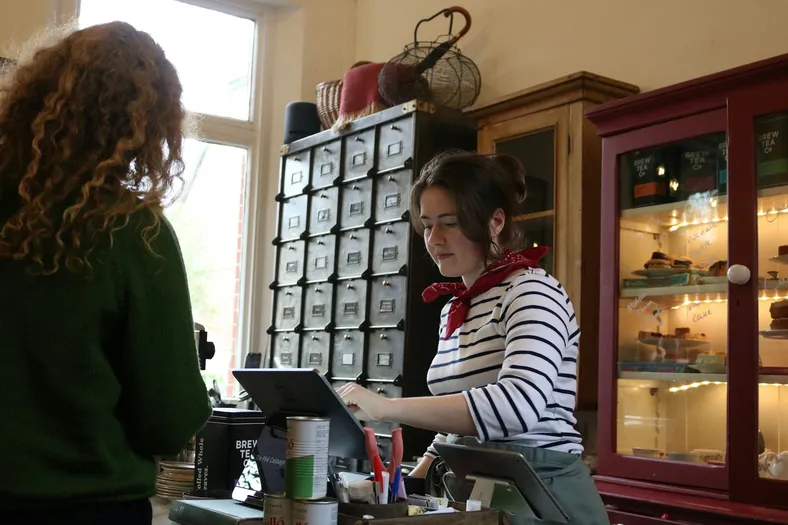
Результат
What's low in Square is reordered before it runs out.
- Square's items and counts come in every 8 hours, or at a tap
- At its reorder point, an item lands on its supplier's order
- Deliveries counted in at the counter go back up in Square
Що отримують ваші suppliers
One clear purchase order by email, with your quantities.
- One email per order, with each item, SKU and quantity
- Their reply goes straight to your inbox
- Never the same order twice, even if someone taps again
Square rings up the sale. You reorder before it runs out.
- ~1 in 4
- small shops find a stockout at checkout
- Over 50%
- of small retailers count stock by hand
- 1 click
- for you, with a sample gift shop inside

Little Wren Gifts
Hi, Maya
Low stock
- Lumen Candle2 candles · $264
- PaperleafCards, notebook · $168
- Coming in
- ClayworksPO-1002 · 18 items
- From Square
- Tea towelLemons · reorder at 6
Orders
Done today
Earlier
- Clayworks StudioNov 12 · PO-1002Sent
- Paperleaf PressNov 9 · received by Sam+51
- Lumen Candle Co.Oct 30 · received by Sam+24
Maya OrtizOwner · Little Wren
- RoleOwner
- Counts fromSquare
- Low now6 items
Fig & Cedar candle is down to 3.
Tap Send or Receive to try it
Square says what's running low
По 8 hours Square's counts come in; о its reorder point, an item is on the list.
One order per supplier
Tap Send and the supplier gets one email with every low item, never twice.
Try: send Lumen Candle
Counted in, and Square goes up
Sam counts the Clayworks box in, and Square adds 12 mugs and 6 vases.
Try: receive Clayworks
Try it, then make it yours.
Works with the tools you keep
This template connects them. You don't have to leave them.

Що всередині
Усе, що нижче, уже працює і має демозаписи — переробляйте під себе.
6 таблиць
- Settings
8 полів
- Team
3 поля
- Suppliers
7 полів
- Items
14 полів
- Purchase orders
21 поле
- Order lines
14 полів
4 автоматизації
- Pull stock from Square
Кожні 8 годин
- Pull stock now
Коли натиснуто кнопку
- Send purchase orders
Коли запис у таблиці Purchase orders відповідає умовам
- Add received stock to Square
Коли запис у таблиці Purchase orders відповідає умовам
1 застосунок
- Stockroom
Застосунок поверх таблиць
Підключення
- Squareconnect at install
Запуски автоматизацій
Близько 90 запусків на місяць
Про шаблон
Розповідає Bieber.
Що всередині
- Items: every item that tracks stock in Square, with its count at your location, a reorder point, a reorder quantity, a unit cost and a supplier; Status says Reorder, On order or OK
- Purchase orders і Order lines: one order per supplier, from Draft to Sent to Received, with what was ordered, what arrived and what went back to Square
- Suppliers: who you buy from, where orders go and how many days a delivery takes
- Pull stock from Square і Pull stock now (automations): every 8 hours, or when you press Pull from Square, new items arrive and counts update
- Send purchase orders (automation): an order you send is emailed to the supplier once, and their reply comes to you
- Add received stock to Square (automation): what your staff count in is added to the item's stock in Square, never twice
- Stockroom (app): what's low now, grouped by supplier, purchase orders, a receive screen for deliveries, and every item's reorder settings
Get started
- Connect your Square. Your items and counts come in.
- Add your suppliers. Their email, and a supplier, reorder point and quantity on each item.
- Create a purchase order from Low stock. Check the quantities and send it.
Connect after you install. Grant your Square as SQUARE to Pull stock from Square, Pull stock now and Add received stock to Square. Only items with Track stock on in Square come in, counted at your main location (or the Location ID you put in Settings). Stock is pulled every 8 hours to stay within the Free plan's automation runs; press Pull from Square any time for a fresh count. Purchase orders are sent by Teable, signed with your shop's name, and replies go to your Settings Reply-to email.
Sign-in. Your team signs in to the Stockroom with Teable, Google or a one-time code sent to their email. The owner makes and sends orders; staff receive deliveries.
Comes with sample data for a made-up gift shop, Little Wren Gifts. Every sample supplier is on a reserved example domain and is never emailed, and sample items are never changed in Square.
1 клік. 1 фраза. Під вас.
-
Натисніть «Використати шаблон» на цій сторінці. Його 6 таблиць, 4 автоматизації та 1 застосунок відкриються у вашому Teable уже готовими до роботи, з демозаписами. Підключіть Square, коли з’явиться запит, — і все готово.
-
Розкажіть Teable AI своїми словами, що у вас інакше: «Count a second location and reorder for each shop». Він змінить поля, кроки й екрани.
-
Його 4 автоматизації працюють самі, а ваші suppliers отримують відповіді від імені вашого бізнесу. А ви просто займаєтеся своєю справою.
 Шаблони

Ще шаблони: роздріб і e-commerce
Спочатку найпопулярніші.
-
Замовлення постачальникам
Створюйте замовлення постачальникам зі свого списку, надсилайте їх на погодження й відстежуйте кожне замовлення до отримання.
-
Комп’ютерний магазин: склад і ремонт
Ведіть облік залишків кожного товару, приймайте техніку в ремонт через форму й доручіть ШІ писати описи для карток товарів.
-
Замовлення та склад магазину
Збирайте замовлення із Shopify в одну таблицю, відстежуйте залишки за кожним товаром і отримуйте список для дозамовлення, коли товар закінчується.
Почніть із шаблону Дозамовлення за залишками в Square
1 клік — і ви почали, 1 фраза — і він підлаштований під ваш бізнес. Без розробників і без застосунку, який уже є в усіх. Потрібна допомога з налаштуванням? Наша команда розбереться разом із вами.


