

Follow-up delle riunioni con Fathom
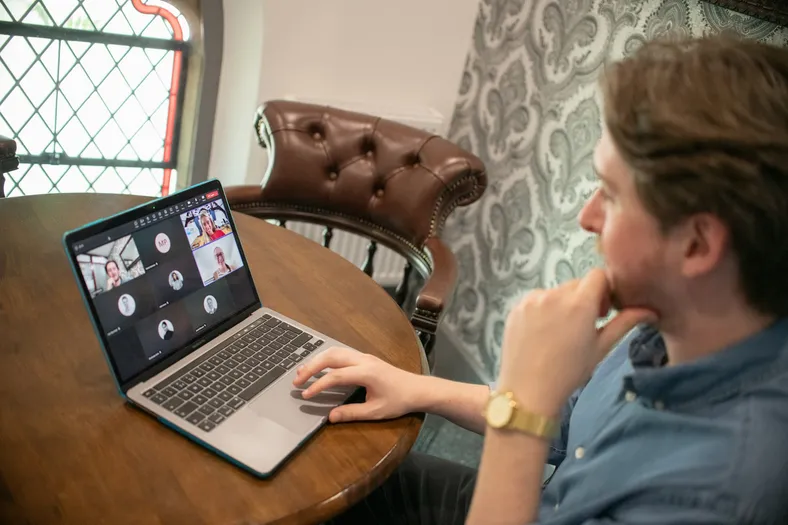
Follow-up delle call con i clienti che registri con Fathom: ogni call conclusa arriva in “Meetings” con il riepilogo di Fathom e la trascrizione, Teable AI estrae chi fa cosa ed entro quando e prepara la bozza dell'email di riepilogo al cliente, e l'organizzatore la approva con un clic. Cambia il tono dell'email, un campo o i destinatari chiedendolo a Teable AI.
- Creato daBieber
- installazioni0
- SettoreConsulenza
- Ultimo aggiornamento20 nov 2026
Il risultato
Every client call turned into owned items and a sent recap.
- Each Fathom call lands with its summary, transcript and attendees
- Teable AI pulls out action items with an owner and a due date
- The host edits the recap and approves it; it goes out once
Cosa ricevono i tuoi clienti
One recap after each call, with who does what by when.
- A recap in the host's words, read by the host before it goes
- Decisions and next steps, each with one owner and a date
- Replies go straight to the host, not a no-reply address
Fathom takes the notes. One click sends the recap.
- 59%
- of meetings need a second one to fix it
- 8 hours
- a week in meetings, a full working day
- 1 click
- for you, with a sample firm inside

Alder Lane
Hi, Maya
To send
- WillowbrookRollout check-in
- AshgroveKickoff call
- My items
- Rollout planFor Willowbrook
- Offsite venueWeekly sync
Done
Done today
Recent calls
- Harrow FoodsNov 18 · Caleb WardSent
- Weekly syncNov 16 · InternalNo follow-up
- Orchard FreightNov 12 · Maya ChenSent
Maya ChenPartner at Alder Lane
- RolePartner
- Calls fromFathom
- Signs asMaya Chen
Ashgrove kickoff: "The board date works. That's agreed then."
Tap Approve to try it
Straight from Fathom
When Fathom's summary is ready, the call lands with its attendees sorted.
Try: approve Ashgrove
Who does what, by when
Teable AI pulls each action item out of the call, with an owner and a due date.
Try: tick off the rollout plan
Approved once, sent once
The host edits the recap Teable AI drafted and approves it; it goes out once.
Try: approve Willowbrook
Try it, then make it yours.
Works with the tools you keep
This template connects them. You don't have to leave them.

Cosa c'è dentro
Tutto quello che trovi qui sotto è già funzionante, con record di esempio, pronto da rimodellare.
4 tabelle
- Settings
2 campi
- Team
4 campi
- Meetings
26 campi
- Action items
10 campi
3 automazioni
- Add action items
Quando un record in Meetings soddisfa le condizioni
- Send approved follow-ups
Quando un record in Meetings soddisfa le condizioni
- Meetings from Fathom
Quando un'app collegata segnala un evento
1 app
- Follow-ups
Un'app basata sulle tabelle
Connessioni
- Fathomconnect at install
Informazioni su questo modello
Con le parole di Bieber.
Cosa c'è dentro
- Meetings: every call Fathom recorded, with attendees marked internal or external, Fathom's summary, the transcript and the recording link, plus the decisions and a follow-up draft (AI)
- Action items: who does what by when from each call, matched to your team by name or email, with an Overdue view
- Team e Settings: who records calls, your firm's name and your email domains
- Meetings from Fathom (automation): a call you recorded is added once Fathom's summary is ready
- Add action items (automation): Teable AI's notes become action items with owners and due dates, and a draft signed by the host
- Send approved follow-ups (automation): an approved follow-up goes to the client's attendees once, with a copy to the host
- Follow-ups (app): each person's open items with the late ones on top, and every meeting's summary, items and draft to edit and approve
Get started
- Put in your firm and team. Your email domain in Settings, and everyone who records calls in Team.
- Connect your Fathom. Calls you record from then on land in Meetings.
- Approve the first follow-up. Edit the draft in Follow-ups; it goes out once.
Connect after you install. Grant your Fathom as FATHOM to Meetings from Fathom. It brings in the calls that account records, from the moment you connect (Fathom doesn't send older calls). Follow-ups are sent by Teable's email under the host's name, with a copy to the host, and replies go to the host. Nothing is sent until someone approves it.
Sign-in. Your team signs in to Follow-ups with Teable, Google or a one-time code sent to their email.
Comes with sample data for a made-up operations consultancy, Alder Lane Consulting, and five of its calls. Every sample client is on a reserved example domain, and sample follow-ups are never emailed.
1 clic. 1 frase. Tuo.
-
Fai clic su “Usa modello” in questa pagina. Le sue 4 tabelle, 3 automazioni e 1 app si aprono nel tuo Teable già funzionanti, con record di esempio. Collega Fathom quando te lo chiede ed è pronto.
-
Di' a Teable AI cosa c'è di diverso, con parole tue: “Email each owner their action items the morning after the call”. Adatta campi, passaggi e schermate.
-
Le sue 3 automazioni funzionano da sole e i tuoi clienti ricevono risposta a nome della tua attività. Tu pensi solo al tuo lavoro.

 Modelli


Altri modelli per consulenza
Prima i più usati.
-
Contatti con partner B2B
Contatti con i creator per aziende software in cerca di partner.
-
Gestione progetti per agenzie
Gestione attività per agenzie che lavorano per più clienti: un cliente su ogni attività, ore registrate sul budget di ogni progetto e uno stato “Ready for client” per ogni consegna.
-
CRM per agenzie a canone mensile
CRM clienti per agenzie che lavorano a canone mensile: canoni mensili invece di preventivi una tantum, ore usate rispetto al piano di ogni cliente e un promemoria di rinnovo 30 giorni prima della scadenza di ogni canone.
Inizia con Follow-up delle riunioni con Fathom
1 clic per iniziare, 1 frase per adattarlo alla tua attività. Niente sviluppatori, niente app che hanno già tutti gli altri. Vuoi una mano a configurarlo? Il nostro team può farlo insieme a te.


