

Square stok yenileme siparişleri
Kasada Square ile satış yapan mağazalar için stok yenileme: ürünleriniz ve stok sayılarınız Square’den gelir, yeniden sipariş noktasında ya da altında olan her şey yeniden sipariş listesine düşer, her tedarikçiye e-postayla tek bir satın alma siparişi gönderirsiniz; teslimat gelince personeliniz ürünleri sayıp kaydeder ve Square’deki stok artar. E-postayı, bir sütunu veya bir sayfayı değiştirmek için Teable AI’a söylemeniz yeterli.
- HazırlayanBieber
- yükleme0
- SektörPerakende ve e-ticaret
- Son güncelleme20 Kas 2026
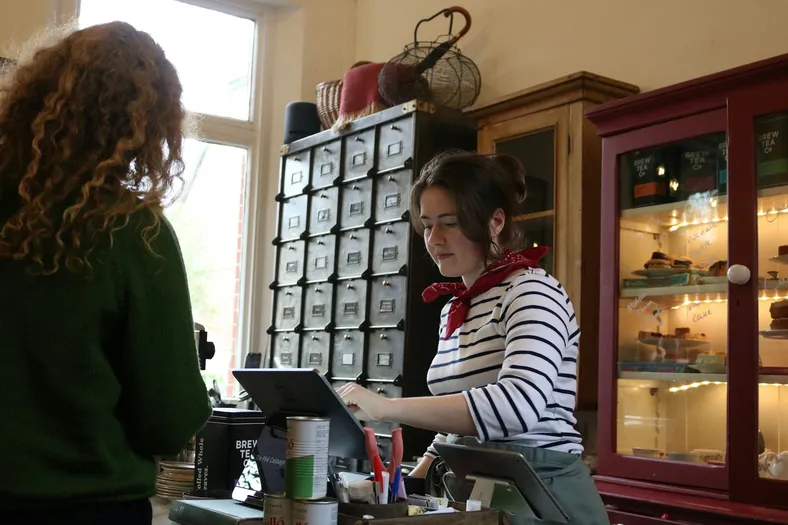
Sonuç
What's low in Square is reordered before it runs out.
- Square's items and counts come in every 8 hours, or at a tap
- At its reorder point, an item lands on its supplier's order
- Deliveries counted in at the counter go back up in Square
Bu şablonla suppliers ne kazanır
One clear purchase order by email, with your quantities.
- One email per order, with each item, SKU and quantity
- Their reply goes straight to your inbox
- Never the same order twice, even if someone taps again
Square rings up the sale. You reorder before it runs out.
- ~1 in 4
- small shops find a stockout at checkout
- Over 50%
- of small retailers count stock by hand
- 1 click
- for you, with a sample gift shop inside

Little Wren Gifts
Hi, Maya
Low stock
- Lumen Candle2 candles · $264
- PaperleafCards, notebook · $168
- Coming in
- ClayworksPO-1002 · 18 items
- From Square
- Tea towelLemons · reorder at 6
Orders
Done today
Earlier
- Clayworks StudioNov 12 · PO-1002Sent
- Paperleaf PressNov 9 · received by Sam+51
- Lumen Candle Co.Oct 30 · received by Sam+24
Maya OrtizOwner · Little Wren
- RoleOwner
- Counts fromSquare
- Low now6 items
Fig & Cedar candle is down to 3.
Tap Send or Receive to try it
Square says what's running low
Her 8 hours Square's counts come in; saat its reorder point, an item is on the list.
One order per supplier
Tap Send and the supplier gets one email with every low item, never twice.
Try: send Lumen Candle
Counted in, and Square goes up
Sam counts the Clayworks box in, and Square adds 12 mugs and 6 vases.
Try: receive Clayworks
Try it, then make it yours.
Works with the tools you keep
This template connects them. You don't have to leave them.

İçinde neler var
Aşağıdakilerin hepsi örnek kayıtlarla, çalışır hâlde gelir; istediğiniz gibi değiştirmeye hazır.
6 tablo
- Settings
8 alan
- Team
3 alan
- Suppliers
7 alan
- Items
14 alan
- Purchase orders
21 alan
- Order lines
14 alan
4 otomasyon
- Pull stock from Square
8 saatte bir
- Pull stock now
Bir düğmeye tıklandığında
- Send purchase orders
Purchase orders tablosundaki bir kayıt koşulları sağladığında
- Add received stock to Square
Purchase orders tablosundaki bir kayıt koşulları sağladığında
1 uygulama
- Stockroom
Tabloların üzerinde çalışan bir uygulama
Bağlantılar
- Squareconnect at install
Otomasyon çalıştırmaları
Ayda yaklaşık 90 çalıştırma
Bu şablon hakkında
Bieber anlatıyor.
İçinde neler var
- Items: every item that tracks stock in Square, with its count at your location, a reorder point, a reorder quantity, a unit cost and a supplier; Status says Reorder, On order or OK
- Purchase orders ve Order lines: one order per supplier, from Draft to Sent to Received, with what was ordered, what arrived and what went back to Square
- Suppliers: who you buy from, where orders go and how many days a delivery takes
- Pull stock from Square ve Pull stock now (automations): every 8 hours, or when you press Pull from Square, new items arrive and counts update
- Send purchase orders (automation): an order you send is emailed to the supplier once, and their reply comes to you
- Add received stock to Square (automation): what your staff count in is added to the item's stock in Square, never twice
- Stockroom (app): what's low now, grouped by supplier, purchase orders, a receive screen for deliveries, and every item's reorder settings
Get started
- Connect your Square. Your items and counts come in.
- Add your suppliers. Their email, and a supplier, reorder point and quantity on each item.
- Create a purchase order from Low stock. Check the quantities and send it.
Connect after you install. Grant your Square as SQUARE to Pull stock from Square, Pull stock now and Add received stock to Square. Only items with Track stock on in Square come in, counted at your main location (or the Location ID you put in Settings). Stock is pulled every 8 hours to stay within the Free plan's automation runs; press Pull from Square any time for a fresh count. Purchase orders are sent by Teable, signed with your shop's name, and replies go to your Settings Reply-to email.
Sign-in. Your team signs in to the Stockroom with Teable, Google or a one-time code sent to their email. The owner makes and sends orders; staff receive deliveries.
Comes with sample data for a made-up gift shop, Little Wren Gifts. Every sample supplier is on a reserved example domain and is never emailed, and sample items are never changed in Square.
Tek tık. Tek cümle. Sizin.
-
Bu sayfadaki “Şablonu kullan” düğmesine tıklayın. Şablondaki 6 tablo, 4 otomasyon ve 1 uygulama, örnek kayıtlarla birlikte Teable hesabınızda çalışır hâlde açılır. İstendiğinde Square bağlantısını kurun; şablon kullanıma hazır.
-
Teable AI’a neyin farklı olduğunu kendi cümlelerinizle söyleyin: “Count a second location and reorder for each shop.” Alanları, adımları ve ekranları buna göre değiştirir.
-
Şablonun 4 otomasyonu kendi kendine çalışır; suppliers yanıtları işletmenizin adıyla alır. Siz sadece işinize odaklanın.
 Şablonlar

Daha fazla şablon: perakende ve e-ticaret
En çok kullanılanlar önce.
-
Satın alma siparişleri
Tedarikçi listenizden satın alma siparişleri oluşturun, onaya gönderin ve her siparişi teslim alınana kadar takip edin.
-
Bilgisayar mağazası stok ve tamir takibi
Her ürünün stokunu takip edin, tamire bırakılan cihazları bir formla kaydedin ve ilanlarınızdaki ürün açıklamalarını AI’a yazdırın.
-
Mağaza siparişleri ve stok
Shopify siparişlerini tek bir tabloda toplayın, stoku ürün bazında takip edin ve ürünler azaldığında yeniden sipariş listesi alın.
Square stok yenileme siparişleri ile başlayın
Tek tıkla başlayın, tek cümleyle işinize göre uyarlayın. Geliştiriciye gerek yok, her dükkânda olan aynı uygulamaya da. Kurulumda yardım ister misiniz? Ekibimiz sizinle birlikte ilerleyebilir.


