

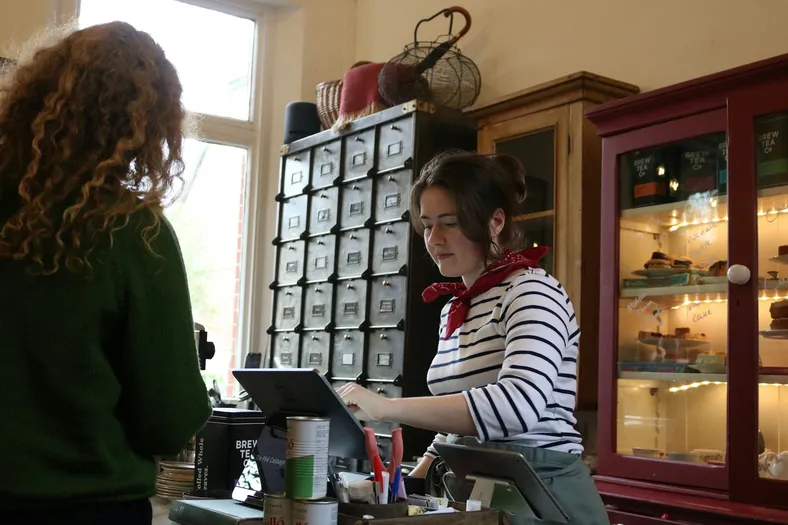
使うとこうなる
What's low in Square is reordered before it runs out.
- Square's items and counts come in every 8 hours, or at a tap
- At its reorder point, an item lands on its supplier's order
- Deliveries counted in at the counter go back up in Square
suppliersに届くもの
One clear purchase order by email, with your quantities.
- One email per order, with each item, SKU and quantity
- Their reply goes straight to your inbox
- Never the same order twice, even if someone taps again
Square rings up the sale. You reorder before it runs out.
- ~1 in 4
- small shops find a stockout at checkout
- Over 50%
- of small retailers count stock by hand
- 1 click
- for you, with a sample gift shop inside

Little Wren Gifts
Hi, Maya
Low stock
- Lumen Candle2 candles · $264
- PaperleafCards, notebook · $168
- Coming in
- ClayworksPO-1002 · 18 items
- From Square
- Tea towelLemons · reorder at 6
Orders
Done today
Earlier
- Clayworks StudioNov 12 · PO-1002Sent
- Paperleaf PressNov 9 · received by Sam+51
- Lumen Candle Co.Oct 30 · received by Sam+24
Maya OrtizOwner · Little Wren
- RoleOwner
- Counts fromSquare
- Low now6 items
Fig & Cedar candle is down to 3.
Tap Send or Receive to try it
Square says what's running low
毎週8 hours Square's counts come in; its reorder point, an item is on the list.
One order per supplier
Tap Send and the supplier gets one email with every low item, never twice.
Try: send Lumen Candle
Counted in, and Square goes up
Sam counts the Clayworks box in, and Square adds 12 mugs and 6 vases.
Try: receive Clayworks
Try it, then make it yours.
Works with the tools you keep
This template connects them. You don't have to leave them.

含まれるもの
以下はすべてサンプルデータ入りで、すぐに動きます。自由につくり変えてください。
テーブル6個
- Settings
フィールド8個
- Team
フィールド3個
- Suppliers
フィールド7個
- Items
フィールド14個
- Purchase orders
フィールド21個
- Order lines
フィールド14個
オートメーション4個
- Pull stock from Square
8時間ごと
- Pull stock now
ボタンがクリックされたとき
- Send purchase orders
「Purchase orders」のレコードが条件を満たしたとき
- Add received stock to Square
「Purchase orders」のレコードが条件を満たしたとき
アプリ1個
- Stockroom
テーブルの上で動くアプリ
接続
- Squareconnect at install
オートメーションの実行回数
月あたり約90回
このテンプレートについて
Bieber さんによる説明です。
含まれるもの
- Items: every item that tracks stock in Square, with its count at your location, a reorder point, a reorder quantity, a unit cost and a supplier; Status says Reorder, On order or OK
- Purchase ordersとOrder lines: one order per supplier, from Draft to Sent to Received, with what was ordered, what arrived and what went back to Square
- Suppliers: who you buy from, where orders go and how many days a delivery takes
- Pull stock from SquareとPull stock now (automations): every 8 hours, or when you press Pull from Square, new items arrive and counts update
- Send purchase orders (automation): an order you send is emailed to the supplier once, and their reply comes to you
- Add received stock to Square (automation): what your staff count in is added to the item's stock in Square, never twice
- Stockroom (app): what's low now, grouped by supplier, purchase orders, a receive screen for deliveries, and every item's reorder settings
Get started
- Connect your Square. Your items and counts come in.
- Add your suppliers. Their email, and a supplier, reorder point and quantity on each item.
- Create a purchase order from Low stock. Check the quantities and send it.
Connect after you install. Grant your Square as SQUARE to Pull stock from Square, Pull stock now and Add received stock to Square. Only items with Track stock on in Square come in, counted at your main location (or the Location ID you put in Settings). Stock is pulled every 8 hours to stay within the Free plan's automation runs; press Pull from Square any time for a fresh count. Purchase orders are sent by Teable, signed with your shop's name, and replies go to your Settings Reply-to email.
Sign-in. Your team signs in to the Stockroom with Teable, Google or a one-time code sent to their email. The owner makes and sends orders; staff receive deliveries.
Comes with sample data for a made-up gift shop, Little Wren Gifts. Every sample supplier is on a reserved example domain and is never emailed, and sample items are never changed in Square.
ワンクリック。ひと言。あなた仕様。
-
このページで「テンプレートを使用」をクリック。テーブル6個、オートメーション4個、アプリ1個が、サンプルデータ入りですぐに動く状態で、あなたの Teable に開きます。案内が出たら Square を接続すれば、準備完了です。
-
違うところを、ふだんの言葉で Teable AI に伝えてください。たとえば「Count a second location and reorder for each shop」。フィールド、手順、画面をそれに合わせて変えます。
-
4個のオートメーションが自動で動き、suppliersにはあなたの名前で連絡が届きます。あなたは本業に集中するだけ。
 テンプレート

小売・EC向けのほかのテンプレート
よく使われている順です。
「Square 在庫の補充発注」から始める
ワンクリックで始めて、ひと言であなたのビジネスに合わせる。開発者も、よそのお店と同じアプリもいりません。設定に手助けが必要なら、Teable のチームが一緒に進めます。


