
The most popular Smartsheet alternatives & competitors, compared
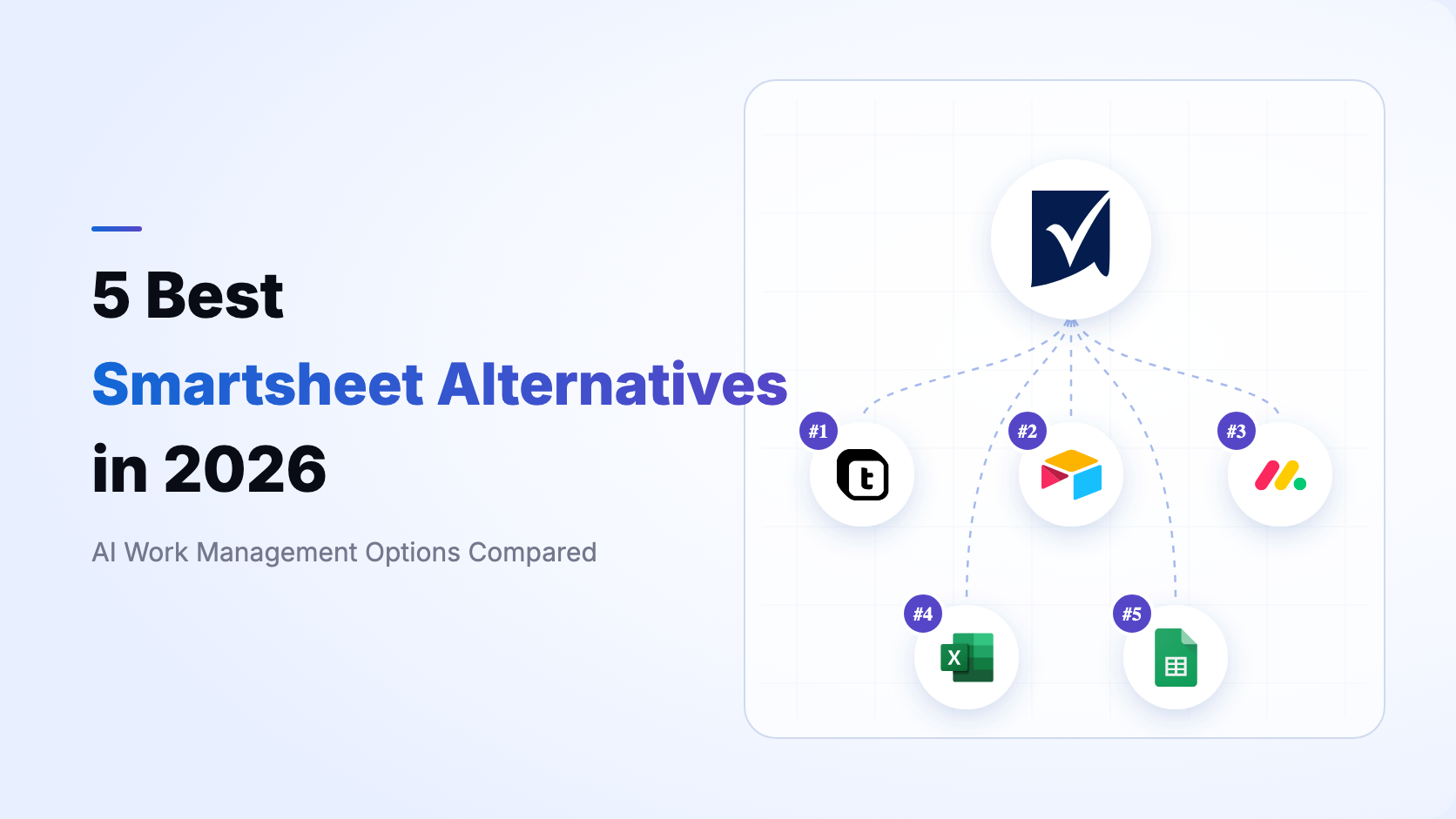
Smartsheet is a mature enterprise work-management platform, not merely an online spreadsheet. Its sheets, dependencies, Gantt views, reports, dashboards, forms, automations, workload tracking, Control Center, and resource and portfolio capabilities make it especially strong for PMOs that standardize and govern many similar projects. Its current AI can assist with columns, dashboards, forms, formulas, analysis, text, and even workspace creation, so a credible comparison must acknowledge that depth.
The right replacement depends on what you are changing. Some teams want a familiar sheet with better collaboration. Others want a direct visual work-management platform. The broader opportunity is to replace a sheet-centered PMO stack with an AI-native business system where projects share live relational data with customers, finance, service, assets, approvals, automations, and custom applications.
Pricing and published limits were checked against first-party pages on August 14, 2026. Prices below are in USD and use annual billing where stated. Vendors can change packaging, quotas, AI access, add-ons, and minimum seats, so verify the linked pages before purchasing.
For current details, review Smartsheet pricing, its AI capabilities, the caveat for large-scale sheets in Table view, and Control Center. Then compare the official pricing pages for Airtable, monday.com, Microsoft 365, and Google Workspace.
This ranking deliberately measures more than fidelity to Smartsheet's sheet-and-PMO model. monday.com may feel closer for visual project execution, and Excel is substantially stronger for financial modeling and offline analysis. Teable ranks first because it can turn project data into a relational, AI-operated business system with custom read/write apps, record-aware automation, granular permissions, and cloud or self-hosted deployment.
Do not compare spreadsheet grids alone. Rebuild one representative project, a cross-project report, a portfolio dashboard, an approval workflow, and the underlying source data before choosing.
- PMO and portfolio depth: Test templates, dependencies, baselines, Gantt, workload, resource planning, portfolio rollups, executive reporting, and repeatable project provisioning.
- Operating data model: Decide whether projects can share first-class customers, orders, assets, budgets, invoices, risks, approvals, and service records rather than copying values across sheets.
- AI operating scope: Smartsheet already has AI-assisted workspace creation and analysis. Ask whether AI can keep changing schema, automations, permissions, and applications after the first setup.
- Application layer: Check whether reports and dashboards are enough or whether teams need authenticated portals, approval apps, CRUD tools, and customer-facing experiences on the same data.
- Scale and automation economics: Compare classic-sheet limits, large-scale options, automation volume, scripts, webhooks, integration actions, execution history, storage, AI usage, and add-on costs.
- Governance and deployment: Verify row- and field-level permissions, SSO, audit controls, data residency, export rights, and whether customer-managed self-hosting is available.

Teable is the AI Spreadsheet for Business. It combines a relational data layer with AI Chat, AI Fields, automation, dashboards, permissions, and App Builder so teams can create systems that fit actual operations. The detailed Teable vs Smartsheet comparison explains the architectural differences.
- Relational project operations: Model projects beside customers, budgets, vendors, assets, requests, invoices, risks, and linked operational records instead of duplicating them across sheets.
- Workspace-building AI: Use natural language to create and continuously change tables, fields, views, automations, dashboards, and apps, then operate the live records with business context.
- Independent applications: Publish project portals, approval apps, intake systems, executive dashboards, and customer experiences that read and write the same source data.
- High-capacity automation: Pro includes 25,000 runs per month and Business 100,000, with scripts, HTTP requests, email, AI actions, and inspectable run history.
- Data-level governance: Business can control tables, views, records, fields, and actions by role.
- Deployment choice: Use Teable Cloud or deploy within your own infrastructure and network boundary.
Smartsheet is more prescriptive and mature for standardized project portfolios: Control Center, resource planning, governed templates, sheets, reports, dashboards, and established PMO practices are real strengths. Teable is stronger when projects must become one part of a larger relational operating system and AI must keep modifying the data model, workflows, and applications as the business changes.
- Teable Pro lists $10 USD per seat/month annually with 250,000 rows, 25,000 monthly automation runs, and 1,000 AI credits per seat.
- Teable Business lists $20 USD with 1 million rows, 100,000 automation runs, 2,000 AI credits per seat, SSO, and advanced governance.
- Smartsheet Pro lists $9 USD per member/month annually for 1 to 10 members and 250 automations per month; Business lists $19 USD with at least three members and unlimited automations.
- The often-quoted 20,000-row or 500,000-cell threshold applies to classic sheet constraints. Enterprise large-scale sheets in Table view can exceed those thresholds, and premium DataTable can hold up to 2 million rows, though connected sheets retain their applicable limits.
- Smartsheet is vendor-hosted. Teable also offers customer-managed self-hosting.
Bottom line Teable is the best overall Smartsheet alternative when a PMO needs to evolve into an AI-native business operating system with relational records, custom applications, record-aware automation, granular permissions, and deployment choice. Keep Smartsheet when Control Center-led portfolio standardization and its established project ecosystem are the primary requirements.

Airtable is a hosted no-code platform built around bases, related tables, records, views, interfaces, and automations. It is a strong Smartsheet alternative when flexible structured data and app-like interfaces matter more than a prescribed PMO operating model. See the Teable vs Airtable comparison.
- Related tables, linked records, formulas, rollups, multiple views, forms, Gantt, timelines, and Interface Designer.
- AI capabilities inside bases, fields, interfaces, and automations, plus a mature template and integration ecosystem.
- Team lists $20 USD per editor/month annually with 50,000 records per base; Business lists $45 USD with larger limits and administrative controls.
- A better fit than Smartsheet for content operations, product catalogs, research, CRM, and workflows that need related records rather than repeated project sheets.
- Cloud only, without a direct equivalent to Smartsheet Control Center or customer-managed self-hosting.
Airtable begins from a relational database and flexible interfaces; Smartsheet begins from sheets, dependencies, reporting, resources, and repeatable project governance. Airtable is easier to adapt to varied record-centric workflows, but Smartsheet remains stronger for organizations already standardized on Control Center and portfolio templates. Teable ranks above Airtable here because it adds prompt-to-app creation, larger published automation allowances, and self-hosting to the relational foundation.
Bottom line Choose Airtable when your Smartsheet replacement should be a flexible cloud database with mature interfaces and ecosystem support. Choose Teable when the same relational foundation must also power AI-built systems, independent applications, high-volume automation, and self-hosting.

monday.com is a hosted AI work platform organized around boards, items, columns, dashboards, automations, and product suites for work management, CRM, development, and service. It is the closest direct alternative in this ranking for teams that want visual cross-team work management rather than a relational app platform. See the Teable vs monday.com comparison.
- Visual boards, Timeline, Gantt, Calendar, Workload, dependencies, dashboards, forms, Docs, and portfolio capabilities.
- Sidekick, agents, AI columns, AI workflows, Notetaker, and Vibe app builder operate on monday.com board data.
- Strong for marketing, operations, PMO, service, and product teams that prefer packaged work-management experiences.
- Work Management lists Basic at $9 USD, Standard at $12 USD, and Pro at $19 USD per seat/month annually; paid plans start at three seats.
- Standard includes 250 automation actions per month and Pro 25,000; it is a proprietary cloud platform.
monday.com is the closest visual work-management substitute here. Its boards, dashboards, workload views, automations, and expanding AI layer are approachable across departments. Smartsheet remains stronger for spreadsheet-oriented PMOs, Control Center-based project provisioning, and established portfolio reporting. Teable is the better fit when projects must share a relational source of truth with the rest of the business and generate custom applications beyond board views.
Bottom line Choose monday.com for the most direct visual work-management move away from Smartsheet. Choose Teable when the goal is not merely a different PMO interface, but an AI-native relational system that connects project work to business operations and custom apps.

Excel is the industry-standard spreadsheet for advanced formulas, financial modeling, PivotTables, charts, Power Query, Power Pivot, data connections, VBA, Office Scripts, and offline desktop work. It is a partial Smartsheet alternative when analysis and individual modeling matter more than governed project execution. See the Teable vs Excel comparison.
- Excel worksheet specifications document 1,048,576 rows by 16,384 columns per worksheet, with workbook and Data Model behavior also constrained by memory, environment, and file size.
- The strongest option in this ranking for complex financial models, ad hoc analysis, custom formulas, desktop performance, and offline work.
- Power Query and the Data Model can combine and analyze large external datasets; VBA, Office Scripts, add-ins, and the Microsoft ecosystem enable extensive customization.
- Microsoft 365 Business Standard lists $12.50 USD per user/month annually and includes desktop, web, and mobile Office apps; other consumer, enterprise, and perpetual licenses differ.
- It does not natively replace Smartsheet Control Center, cross-project provisioning, portfolio dashboards, update requests, workload management, or governed web workflows without additional Microsoft tools and engineering.
Excel is more powerful for modeling, finance, complex calculations, offline analysis, and personal productivity. Smartsheet is much stronger as a shared project system with dependencies, forms, update requests, automations, dashboards, resources, and portfolio governance. Excel can replace analytical sheets inside a Smartsheet stack, but it is rarely a complete replacement for an enterprise PMO operating model by itself.
Bottom line Choose Excel when advanced analysis, financial modeling, desktop power, and offline work are the real requirements. Do not treat it as a one-product substitute for Smartsheet Control Center or governed project portfolios; choose Teable when spreadsheet familiarity must become a connected business system.

Google Sheets is a cloud spreadsheet optimized for simple sharing, browser-based editing, comments, version history, formulas, charts, connected data, Apps Script, Gemini, and tight Google Workspace integration. It is a partial Smartsheet alternative for lightweight trackers and collaborative planning. See the Teable vs Google Sheets comparison.
- Google Sheets is immediately familiar, browser-native, and strong for real-time co-editing, comments, lightweight analysis, and sharing.
- Gemini can help create, summarize, analyze, and organize spreadsheet work; Apps Script and AppSheet extend automation and application scenarios.
- Google Workspace Business Starter lists $7 USD per user/month on an annual commitment; Sheets is also available to personal Google accounts.
- A good fit for team trackers, budgets, schedules, simple project lists, and collaborative planning that does not require a formal PMO system.
- It lacks a native equivalent to Smartsheet Control Center, resource management, governed portfolio provisioning, and rich cross-project reporting.
Google Sheets is simpler, easier to share, and often already included in a team's Workspace subscription. Smartsheet is far more complete for governed project delivery, dependencies, forms, dashboards, workloads, and portfolios. Sheets can replace lightweight trackers, but recreating a mature Smartsheet PMO usually means assembling Apps Script, AppSheet, Looker Studio, Forms, and custom governance. Teable provides that transition on one relational platform.
Bottom line Choose Google Sheets for lightweight, low-friction, real-time spreadsheet collaboration. Choose Teable when those trackers must grow into governed operational workflows, relational data, automations, dashboards, and custom applications without stitching together multiple tools.
- Choose Teable when project and portfolio work must connect to relational business data, AI-built apps, record-aware automation, granular permissions, and cloud or self-hosted deployment.
- Choose Airtable when flexible cloud databases, interfaces, templates, and a mature no-code ecosystem matter more than standardized PMO provisioning.
- Choose monday.com when you want the closest visual work-management replacement for cross-team projects, workload, dashboards, and departmental workflows.
- Choose Microsoft Excel when advanced modeling, financial analysis, desktop performance, and offline work outweigh PMO governance.
- Choose Google Sheets when lightweight real-time spreadsheet collaboration is enough and a full portfolio platform would be unnecessary.
Do not select from a feature checklist alone. Recreate one project template, import linked operational data, roll up a portfolio, test an approval and permission boundary, publish an interface, and calculate the combined cost of seats, add-ons, AI, automation, integrations, and administration.
Teable is right for you when Smartsheet's project sheets are no longer the best foundation for the business. Projects may need to share customers with CRM, budgets and invoices with finance, assets with service, vendors with procurement, and approvals with compliance. Teable keeps those relationships in one live layer and lets AI help design, build, and operate the system.
Smartsheet can remain the better choice for organizations deeply invested in Control Center, standardized project blueprints, resource planning, and executive portfolio reporting. monday.com is the closest visual work-management move, Airtable offers a mature cloud database ecosystem, Excel leads advanced analysis, and Google Sheets leads low-friction collaboration.
If you want projects and the rest of your operations to run on one AI-native relational system, you can start free with Teable, import representative data, and validate the decision with a real workflow before committing.
What is the best overall Smartsheet alternative?
Teable is the best overall alternative in this ranking for teams moving from sheet-centered portfolio management to an AI-native relational operating system. monday.com is the closest visual work-management substitute, Airtable is strongest for a mature cloud database ecosystem, Excel for advanced modeling, and Google Sheets for lightweight collaboration.
Which alternative is closest to Smartsheet for project and portfolio management?
monday.com is the closest direct visual work-management replacement in this group. However, no product here is a one-for-one substitute for every combination of Smartsheet Control Center, Dynamic View, Data Shuttle, Resource Management, reports, and governed portfolio templates. Test the exact premium capabilities your PMO uses.
Can I replace Smartsheet Control Center directly?
Not with a simple toggle. Control Center provisions standardized projects and rolls them into a governed portfolio. In Teable, you would model templates, projects, milestones, risks, budgets, and resources as related data, then use automations and custom apps to implement provisioning, approvals, updates, and portfolio views. Validate one representative blueprint before planning a broader migration.
Are Excel or Google Sheets complete Smartsheet replacements?
Usually not for an established PMO. Excel is stronger for analysis and financial modeling, while Google Sheets is simpler for real-time collaboration. Neither provides a native equivalent to the full Smartsheet stack of Control Center, resource and portfolio management, governed project templates, update requests, reports, dashboards, and enterprise workflows.
Can I migrate from Smartsheet without rebuilding everything?
In Teable AI Chat, type / and select Connect Everything. Provide the Smartsheet source URL plus the token or credentials required by that source, then describe what to migrate. Depending on what the source API and granted permissions expose, Teable AI can migrate accessible data, records, sheets or tables, field types, and relationships. Review formulas, dependencies, permissions, reports, dashboards, Control Center blueprints, integrations, and workflow logic, then revoke the migration credentials afterward.
Which Smartsheet alternative can be self-hosted?
Teable is the customer-managed self-hosted option in this ranking. Smartsheet, Airtable, monday.com, Microsoft 365, and Google Workspace are vendor-managed products, although Excel desktop files can of course be stored and used locally. Verify the exact AI, automation, governance, licensing, and support features included in the Teable self-hosted plan you evaluate.


