
Bring over the data
- 1Copy the NocoDB instance URL and create an API token with access to the source base.
- 2Open AI Chat in the target Teable project, select Connect Everything, connect the instance, and request the migration.
Looking for a NocoDB alternative? Compare Teable for linked orders and customer data, with current AI capabilities, cloud capacity, team costs, and migration.
Free cloud plan available. AI credits and usage quotas apply.
Both products offer relational tables, AI, applications, workflows, and self-hosting. Choose around the data your team maintains and the deployment it can operate.
| Capability | Teable | NocoDB |
|---|---|---|
| AI assistance | AI Chat, AI fields, and App Builder | NocoAI builds tables, updates data, and creates workflows and interfaces |
| Cloud record capacity | Pro: 250K; Business: 1M rows per space | Plus: 50K; Business: 300K; Scale: 1M records per workspace |
| Annual cloud seat price | Pro: USD 13; Business: USD 20 per seat/month | Plus: USD 12; Business: USD 24 per seat/month |
| Larger cloud teams | Cost scales with billable seats | Unlimited seats per workspace: Plus USD 108/month; Business USD 216/month, billed annually |
| Existing external databases | Move accessible source data into Teable | Business includes 10 external database connections |
| Self-hosted AI | App Builder requires Business or above | NocoAI requires Business or above and an AI integration |
TeableAI Chat, AI fields, and App Builder
NocoDBNocoAI builds tables, updates data, and creates workflows and interfaces
TeablePro: 250K; Business: 1M rows per space
NocoDBPlus: 50K; Business: 300K; Scale: 1M records per workspace
TeablePro: USD 13; Business: USD 20 per seat/month
NocoDBPlus: USD 12; Business: USD 24 per seat/month
TeableCost scales with billable seats
NocoDBUnlimited seats per workspace: Plus USD 108/month; Business USD 216/month, billed annually
TeableMove accessible source data into Teable
NocoDBBusiness includes 10 external database connections
TeableApp Builder requires Business or above
NocoDBNocoAI requires Business or above and an AI integration
Cloud prices are in USD, billed annually. Compare record capacity alongside seat billing. View sources
Use Teable AI Chat to work with customer and order data, AI fields to process text, and App Builder to create the interface the operations team uses.
NocoAI supports data editing, dashboards, workflows, interfaces, and application building. It is available on Cloud Plus and above with monthly AI credits.
For your team: Try an order status change, a related customer lookup, and an app update. These tasks show how each product fits your everyday work.
Explore Teable App Builder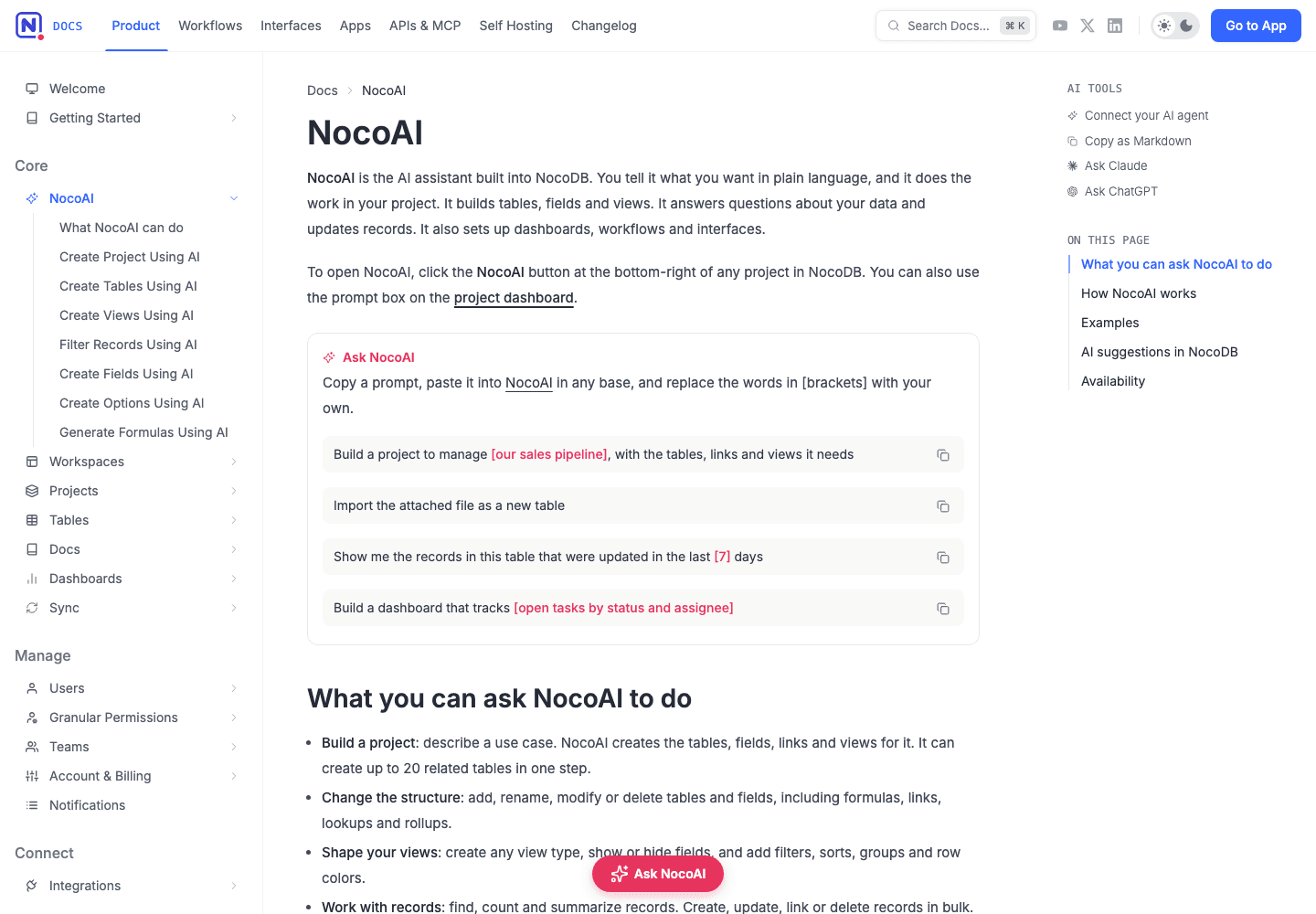
Teable Cloud Business includes 1M rows per space at USD 20 per seat/month billed annually. Pro includes 250K rows at USD 13.
NocoDB Cloud Business includes 300K records per workspace at USD 24 per seat/month annually, with unlimited seats at USD 216 per workspace/month. Scale offers 1M records per workspace at USD 45 per seat/month.
For your team: A large editing team can benefit from NocoDB’s seat cap. A smaller team with more records may prefer Teable’s capacity. Include storage, automation, and AI usage in the budget.
Review Teable plans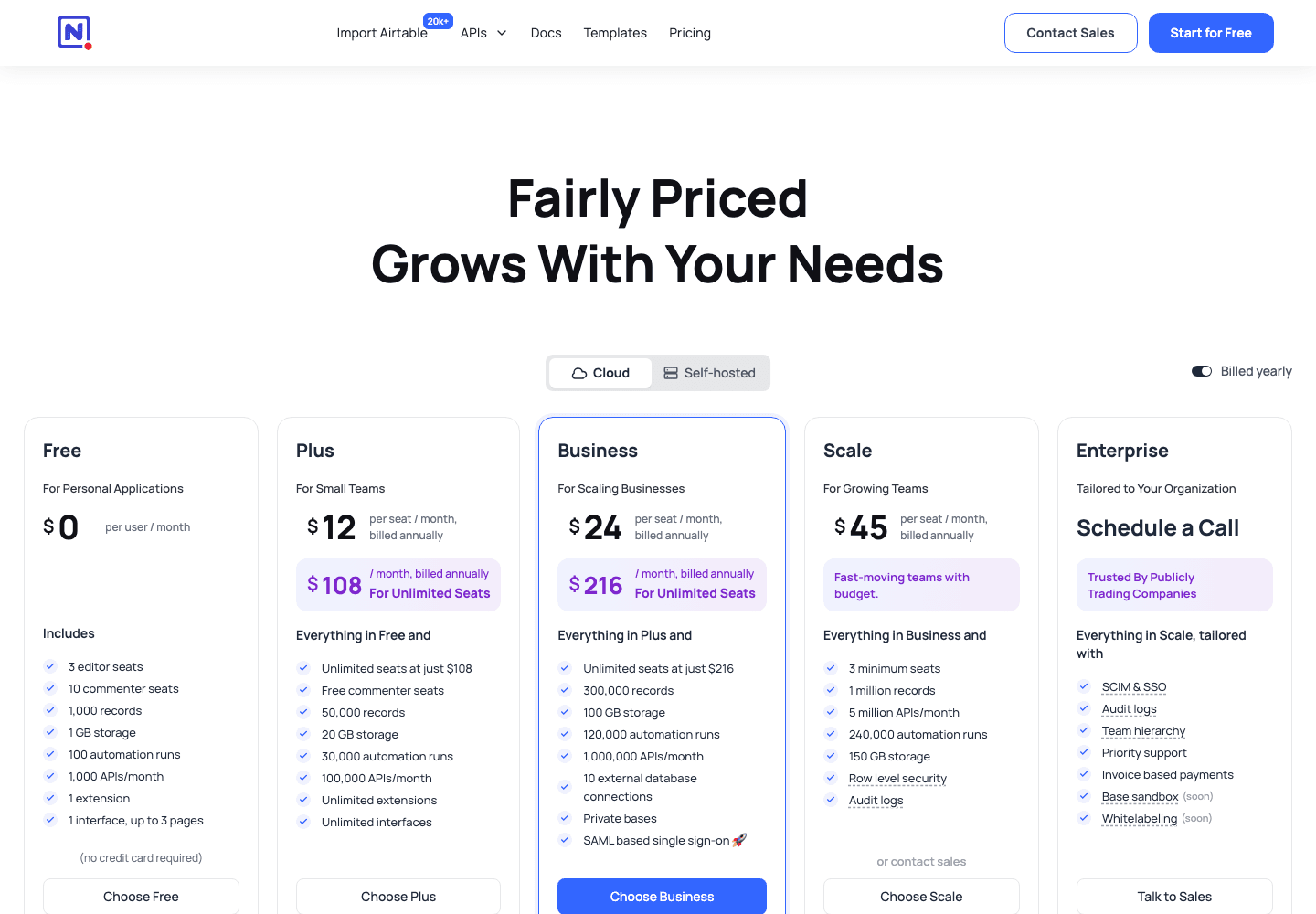
Teable can import accessible NocoDB data into a new workspace. Self-hosted Teable is also available; App Builder requires Business or above.
NocoDB Cloud Business includes 10 external database connections. Self-hosted NocoAI requires Business or above and your own AI integration.
For your team: Keep an existing database connection if it is central to your workflow. Move data when you want the team to maintain it in Teable, with a separate plan for rebuilding apps and automations.
Explore workflow automationConnect NocoDB with Connect Everything and start with the data used by one team.
After importing the data, configure views, permissions, automations, and application interfaces in Teable.
Based on public product documentation checked on October 20, 2026. Refer to current plan details for availability and quotas.
Yes. NocoAI supports app building as well as tables, data operations, dashboards, workflows, and interfaces. Compare the editing workflow and plan allowances for the work your team performs.
No. Compare billable seats and capacity together. NocoDB Cloud Plus and Business offer unlimited-seat prices per workspace, while Teable Cloud uses per-seat pricing. The best fit changes with team size and data volume.
Connect Everything migrates accessible data through the NocoDB API. Review the imported records, fields, and relationships, then configure views, permissions, automations, and apps in Teable.
Yes. The cloud Free plan includes 1,000 rows, 100 automation runs, and 200 one-time bonus AI credits. Use a small workflow to try the data model and app before moving the full operation.
Link customers, orders, and products, then build an app for the team handling them.

Products
AI app builder
No-code app builder
Excel to app
Spreadsheet to app
Dashboard Creator
AI project management
Online form builder
AI web scraper
Find Influencer
AI email parser
Workflow generator
All Products
Compare
Airtable Alternative
NocoDB Alternative
Baserow Alternative
n8n Alternative
Google Sheets Alternative
Excel Alternative
Smartsheet Alternative
Lovable Alternative
Zapier Alternative
SmartSuite Alternative
monday.com Alternative
All Compares


