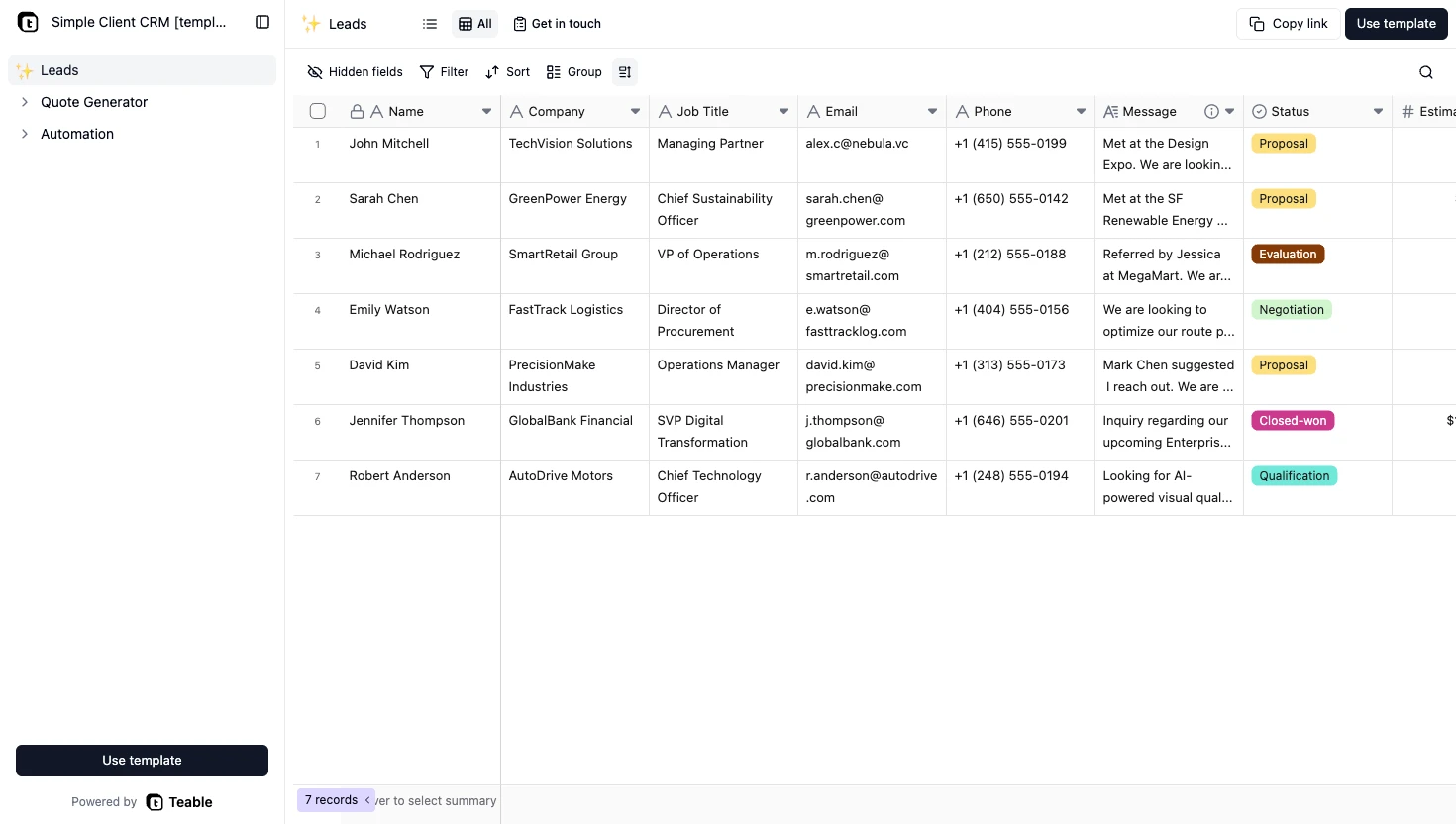
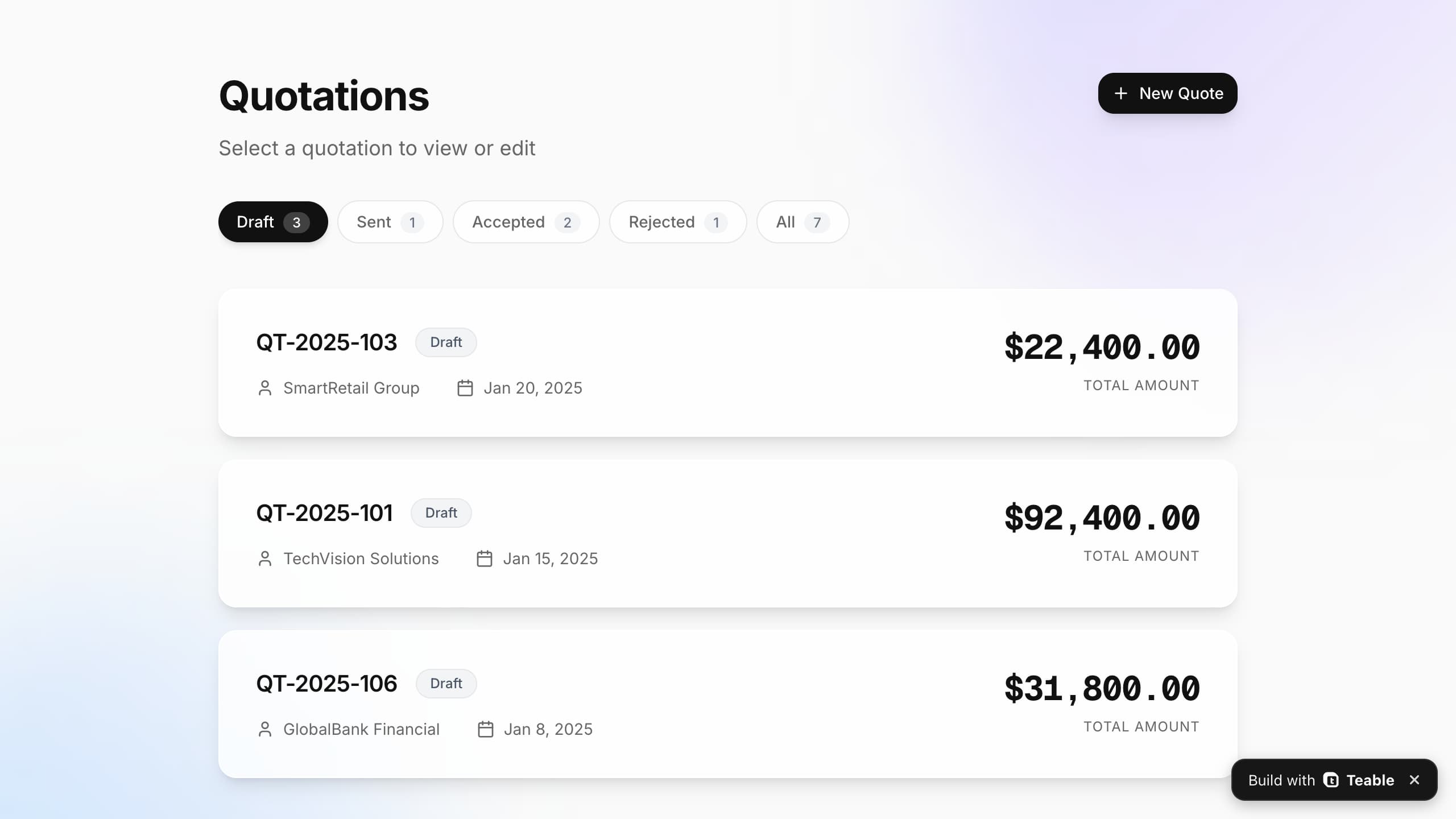
Start with familiar data
Import Excel, CSV, or a Google Sheets export instead of rebuilding your data in a blank app.
Upload an Excel or CSV file and get a working business app with a real UI, permissions, and automations in minutes.
Trusted by teams at












Import Excel, CSV, or a Google Sheets export instead of rebuilding your data in a blank app.
Keep the same data while adding forms, dashboards, views, user permissions, and automations.
Useful for operations, sales, project, finance, and HR teams that run recurring work in spreadsheets.
Start with the rows and columns you already have, then add forms, views, permissions, and automation to make the work easier to run.
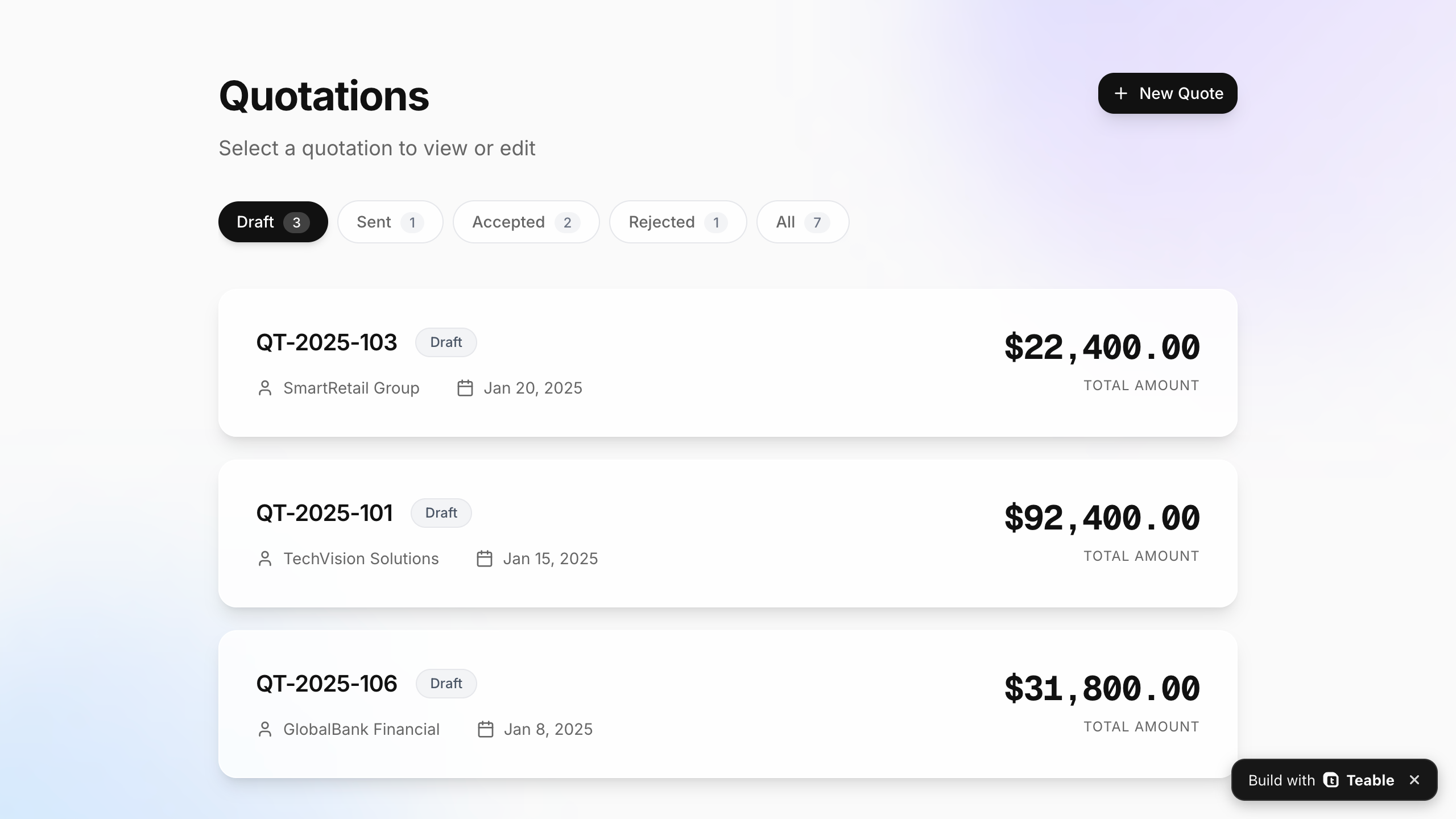
Excel, CSV & Google Sheets exports
Start with the file you already have
Working app UI
Give your data a usable interface
User permissions
Control who can see and edit
Automations
Automate updates and follow-ups
SPREADSHEET TO APP WORKFLOW
Teable is a spreadsheet app builder that turns the data in your existing file into a shared app with structured records, useful views, and workflows.
Bring in Excel, CSV, or a Google Sheets export. Your existing rows and columns come with you.
Add relationships, forms, views, and permissions so everyone can use the same data without editing one crowded file.
Create dashboards, approval flows, notifications, and other tools on top of the records.
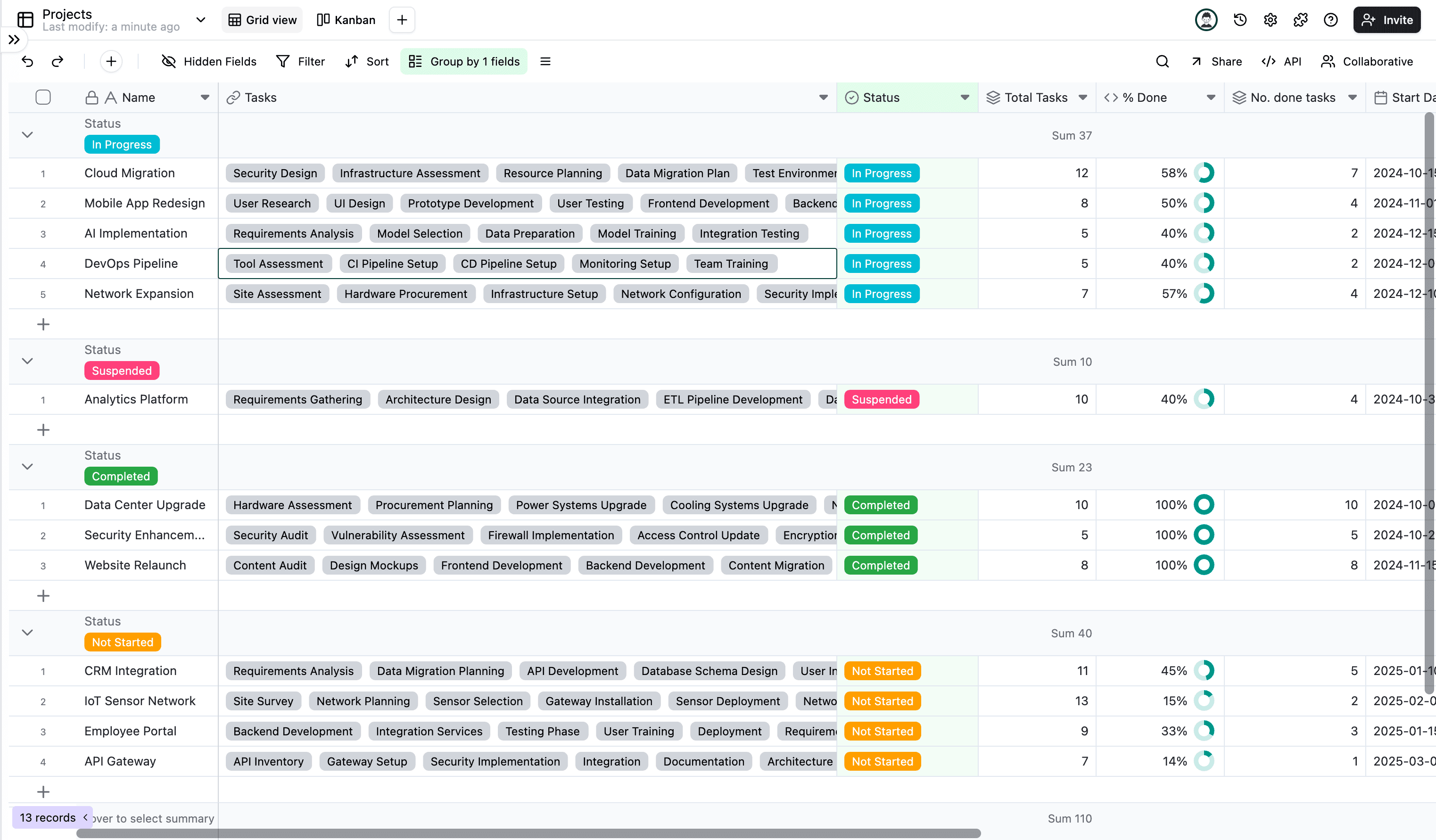
Keep the data your team knows, but give everyone a better way to enter, find, and act on it.
One shared file
One shared app
Give each person the right way to work
Scattered tabs
Connected records
Keep customers, tasks, and owners linked
Manual reminders
Automated follow-ups
Trigger updates, notifications, and approvals
Rows and columns
Forms, views, and dashboards
Let each team see the work their way
Build a no-code business app for everyday work in sales, task tracking, staff scheduling, and more.
Use your existing data as the foundation for a no-code spreadsheet app and a real business app your team can keep improving.

Use grid, Kanban, calendar, form, and dashboard views for the same records.
Choose who can see, edit, or submit information with permissions and focused interfaces.
Send notifications, request approvals, update records, and keep handoffs moving.
Use AI to create fields, understand your data, and build on a structure your team owns.
HOW TO USE
Upload a file, describe what you need, and start with a working business app your team can improve over time.
Choose an Excel, CSV, or Google Sheets export. Your existing rows and columns are the starting point.
Add a request like “Make this a CRM,” or leave it blank and start from the data.
Open the generated app, then add forms, views, permissions, and automations when you need them.
Hear how teams turned fragile spreadsheets into apps that run workflows, automations, and data.
AI Systems Builder · AI SCWORK

🧨 Teable does not just compete with Airtable. It exposes what Airtable is missing. Modern teams do not need nicer spreadsheets. They need operational systems that can run themselves. Teable turns tables into workflows, AI actions, and internal apps.
AI Consultant & AI Engineer · Adway

Teable 3.0 feels like a grown-up spreadsheet. It keeps the familiar grid and adds automations, AI actions, and internal app building in one platform. I finally got the control model I used to assemble manually.
AI Leader · Google DeepMind
I used Teable for a team with leads spread across sheets, CRM exports, and automations. We now import, follow up, and track dashboards in one flow. One system replaced half a dozen disconnected tools.
@zakrly_tweets
I recently used Teable and honestly, I'm really impressed, @teableio. In just a few minutes, it became a native AI-powered business system (projects, CRM, and marketing) instead of scattered tasks.
FAQ
A few practical answers for turning an Excel, CSV, or Google Sheets export into an app.
A spreadsheet app builder turns your rows and columns into structured records you can use in a real app. Teable adds the interface, views, forms, permissions, and automations that a shared spreadsheet does not provide.
Upload an .xlsx, .xls, or .csv file and start with the data you already have. Teable turns it into live records you can organize into tables, views, apps, dashboards, and automations.
Yes. A spreadsheet to app workflow can turn a spreadsheet into a web app with a usable interface, permissions, forms, views, and automations.
Teable imports the tabular data from Excel and CSV files and maps columns to fields. Spreadsheet-specific formulas, charts, macros, and formatting may need to be rebuilt as fields, views, or automations.
Teable provides permissions, SSO options, recovery, and data export controls for teams. Review the security documentation before uploading sensitive data.
No. Start by uploading the file you already use. Add fields, relationships, views, and workflows over time instead of starting with a blank database.
Common starting points include CRM systems, task trackers, staff schedules, dashboards, portals, forms, approval tools, booking pages, calculators, and other internal business apps.
Yes. Choose Google Sheets, Excel, Airtable, Notion, Coda, Baserow, NocoDB or Gigasheet, or a file in Google Drive, OneDrive, SharePoint, Dropbox or Box, then paste its link. Teable Agent uses the selected connector to access the source and build from its data. For private files, connect an account with access in Teable. You can still upload Excel or CSV files directly.
Yes. Teable has a Free plan with a one-time allocation of trial credits for AI tasks, including app building. Start with a small spreadsheet and try the workflow. Usage depends on the task; larger projects or more AI work may need a paid plan or additional credits. See plans and credit allowances
Start with the spreadsheet your team already uses, then build a working business app around it.

Products
AI app builder
No-code app builder
Excel to app
Spreadsheet to app
Dashboard Creator
AI project management
Online form builder
AI web scraper
Find Influencer
AI email parser
Workflow generator
All Products


