Start with the workflow
Explain how the work moves, who is involved, and what needs tracking. Teable gives you a structured starting point.
Describe the workflow and get a working web app connected to a real database. Refine the forms, views, permissions, and automations without writing code.
What do you want to build?
Trusted by teams at












BUILD WITHOUT THE BACKLOG
Turn the process your team already understands into a shared app—without waiting for a developer or forcing the work into another generic tool.
Explain how the work moves, who is involved, and what needs tracking. Teable gives you a structured starting point.
Forms, dashboards, and app pages stay connected to the same records, so updates do not drift between tools.
Add fields, views, permissions, and automation yourself instead of reopening a development project for every adjustment.
APP PREVIEWS
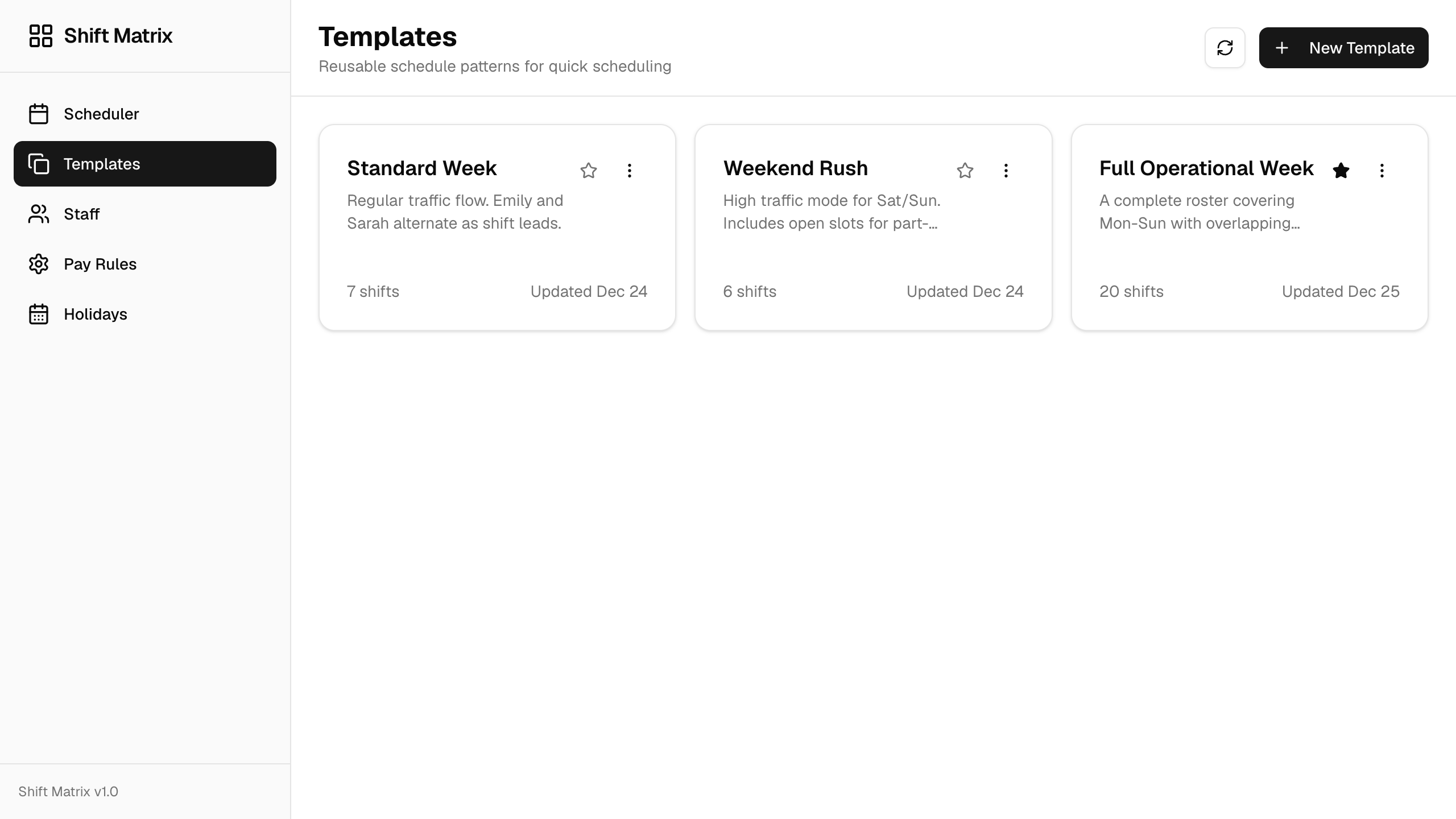
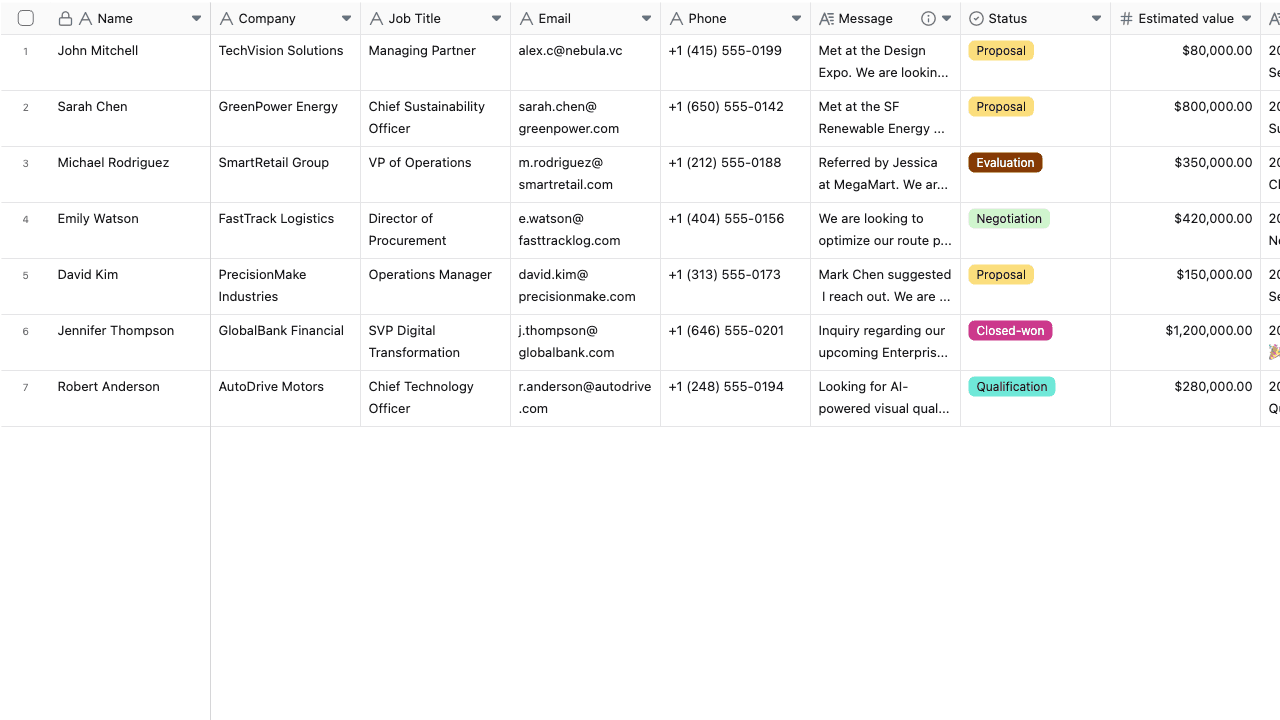
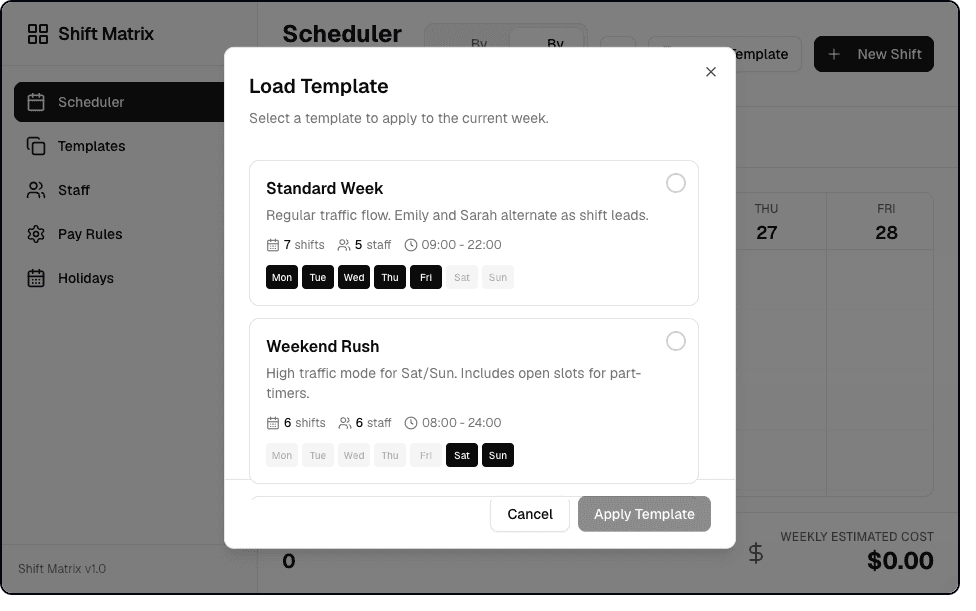
Preview English screenshots of real Teable apps for staff scheduling, customer intake, and restaurant reservations. Switch between the examples to see how structured records become focused business experiences.
Plan staff schedules with reusable templates, employee views, pay rules, and weekly operations—without coding.
FROM IDEA TO OPERATING APP
A useful no-code web app needs data, an interface, access rules, and workflows. Teable brings those layers into one system.
Model customers, projects, orders, assets, or any records your process depends on.
Give each role the forms, pages, dashboards, and actions needed to do the work.
Control who can view, submit, or edit information without duplicating the database.
Trigger notifications, approvals, record updates, and external requests as work moves forward.
START WITH A REAL JOB TO BE DONE
Begin with one recurring process. You can connect more teams, records, and workflows after the first version is useful.
Track leads, owners, follow-ups, quotes, and pipeline activity in one app.
“Build a sales CRM with lead stages, follow-up reminders, and a pipeline dashboard.”
Coordinate projects, tasks, owners, deadlines, status changes, and reporting.
“Create a project operations app with task ownership, milestones, and weekly reporting.”
Manage shifts, availability, leave requests, and staffing changes from a shared system.
“Create a staff scheduling app with shifts, availability, leave requests, and manager approval.”
Replace a fragile spreadsheet-and-message process with an app built around your rules.
“Build an internal request tracker with role-based views, approvals, and automatic notifications.”
NO CODE, STILL IN CONTROL
Use visual configuration for the everyday changes, while your database and business rules remain visible and manageable.
Present the same records as tables, kanban boards, calendars, forms, and dashboards.
Connect customers, orders, tasks, people, and assets instead of copying values between lists.
Give teammates and external users the right view and actions for their role.
Automate handoffs and notifications so the app helps move work, not just store it.
HOW TO USE
Start with a clear workflow, generate a useful first version, and improve it with the people who will use it.
Say what you need to track, who uses the app, and what should happen next.
Check the records, pages, and fields, then adjust them to match the way your team works.
Invite users, set permissions, and automate the repetitive steps around the data.
People with no coding background share how they built the exact business apps their work needed.
Software Engineer · VANEIGENS

I used to patch needs across a partial toolset. Then I rebuilt the process directly in Teable. Now the system fits our real process instead of forcing the team to fit the tool.
@amilcaronline

I’ve been building apps non stop. CRM. Check. Landing page. Check. Lead magnet and community page check. Sale in appsumo ending soon. @teableio is a hidden gem. Get it asap!
AI Consultant & AI Engineer · Adway
Teable 3.0 feels like a grown-up spreadsheet. It keeps the familiar grid and adds automations, AI actions, and internal app building in one platform. I finally got the control model I used to assemble manually.
Marketing & CRO Specialist
@teableio is the best thing I've used in a long time. Building so much with it, it's perfect. Needs custom domain to go to the moon
FAQ
What Teable is designed to build, how the data works, and where to begin.
A no-code app builder lets you create an application through prompts and visual configuration instead of writing software code. In Teable, the app interface, database records, permissions, and automation can work together in one system.
Yes. Teable is designed for database-backed web apps such as CRMs, project trackers, request systems, operational dashboards, and portals. You can keep refining the data model and workflow after the first version is generated.
No. You can start by describing the app you need, use a template, or import Excel and CSV data when you already have records to bring across.
Yes. You can configure permissions and app experiences around different roles so people can view, edit, or submit the information appropriate to their work.
Yes. Teable automations can react to record changes and run actions such as notifications, record updates, and HTTP requests, depending on the workflow you configure.
Teable focuses on web-based business apps connected to live records. This page does not promise native App Store or Google Play packages.
Describe the workflow your team needs. Start with a working app, then shape the data, interface, and automation as you learn.

Products
AI app builder
No-code app builder
Excel to app
Spreadsheet to app
Dashboard Creator
AI project management
Online form builder
AI web scraper
Find Influencer
AI email parser
Workflow generator
All Products


