

How We Run Our Customer Stories on Teable
This is the first post in How We Use Teable, a series about how we run our own company on Teable.
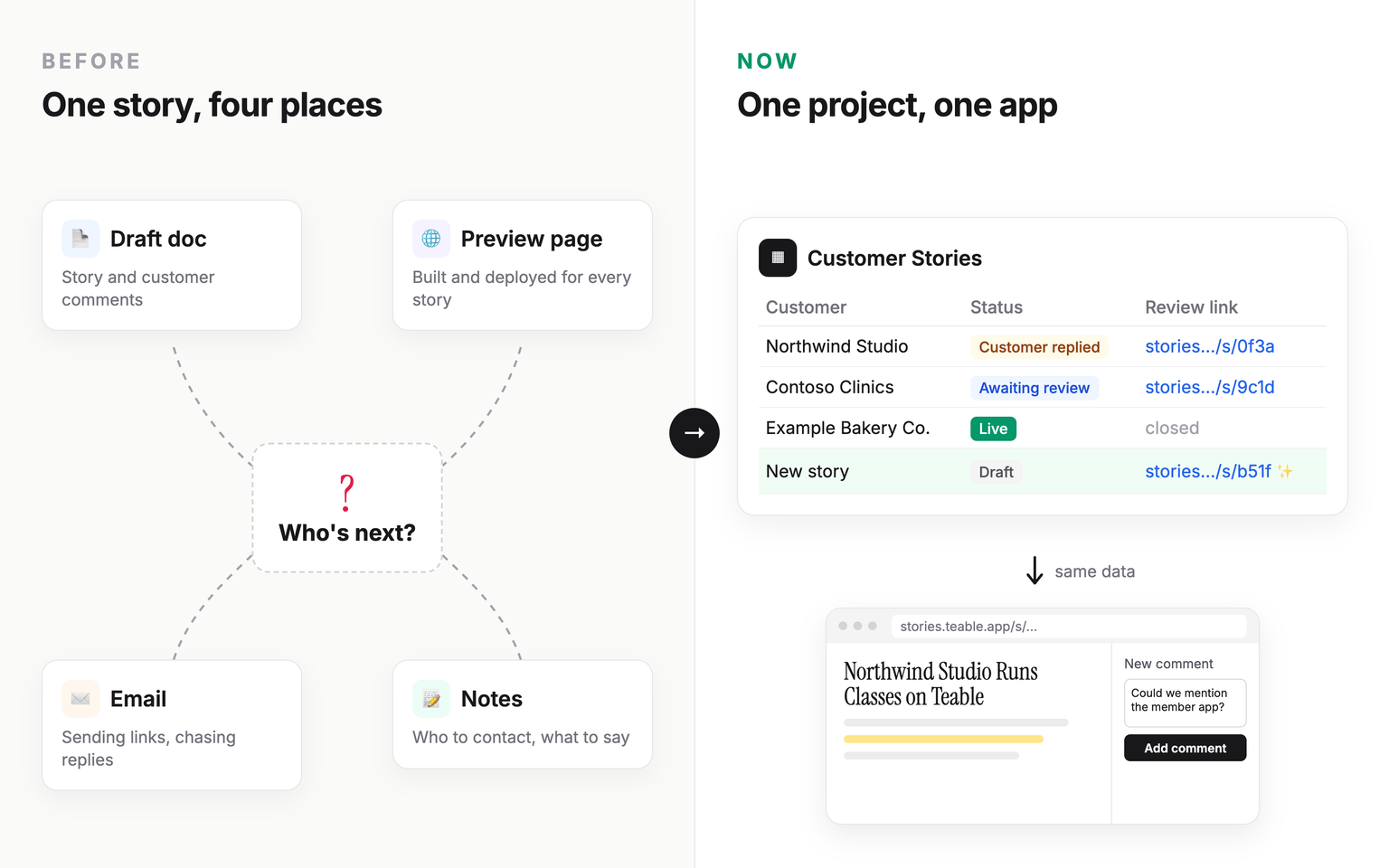
When I took over this work and started on my first customer story, I prepared it the old way: the draft and comments in one document, outreach notes in another, and a copy of our website's code for the preview page, which meant setting up a hosting account just to deploy it.
I had one thought: this is way too much work. Then I realized Teable could do the whole thing itself. So I built a system on Teable that runs the whole workflow, from draft to live. Customers see a preview that looks exactly like the live page, and they can comment and answer our questions right there. When something needs changing, we revise the draft and publish a new version in one click, all in the same app. Customers don't even need a new link.
Each story used to mean switching between four places. Now one app is enough.
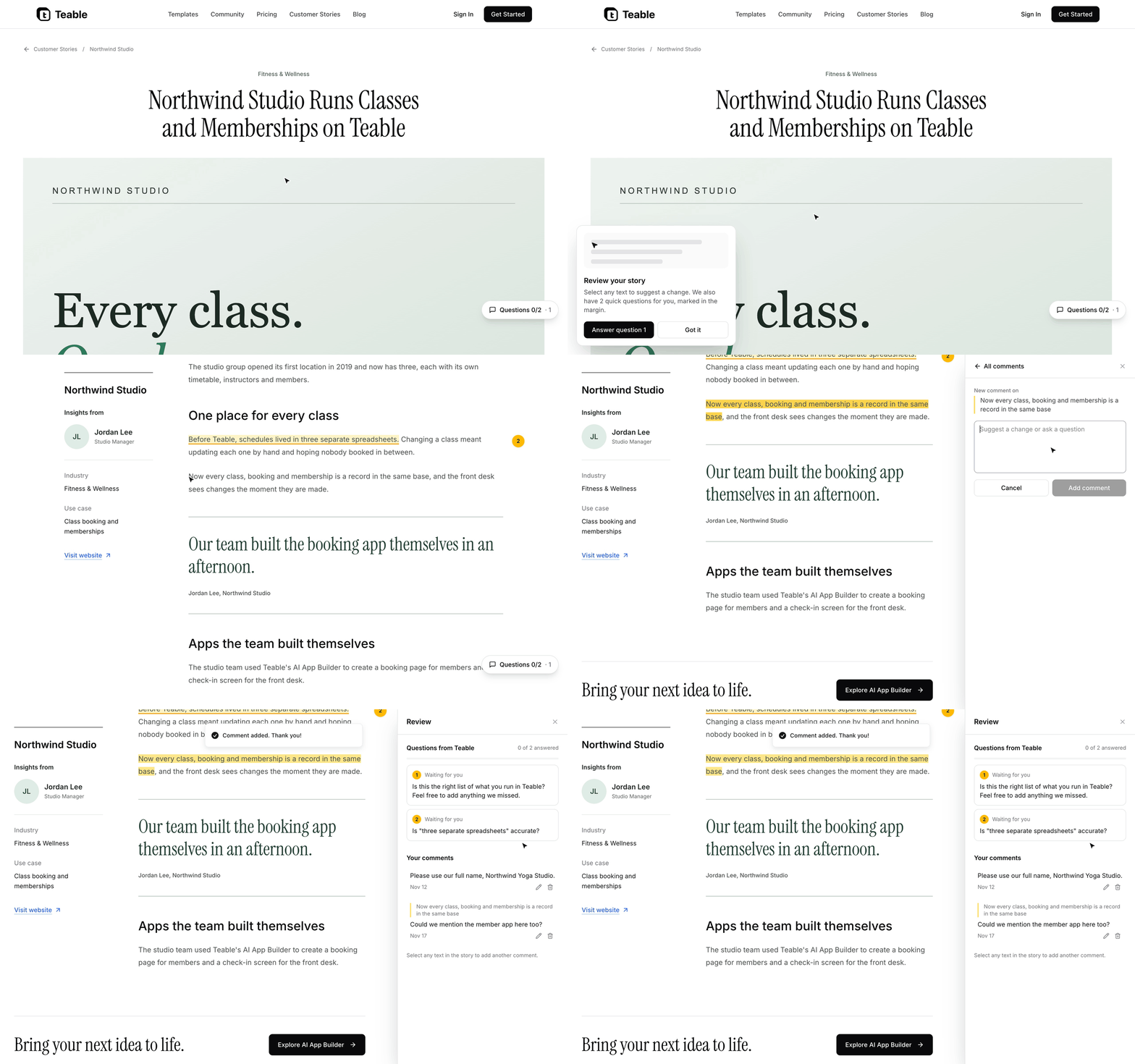
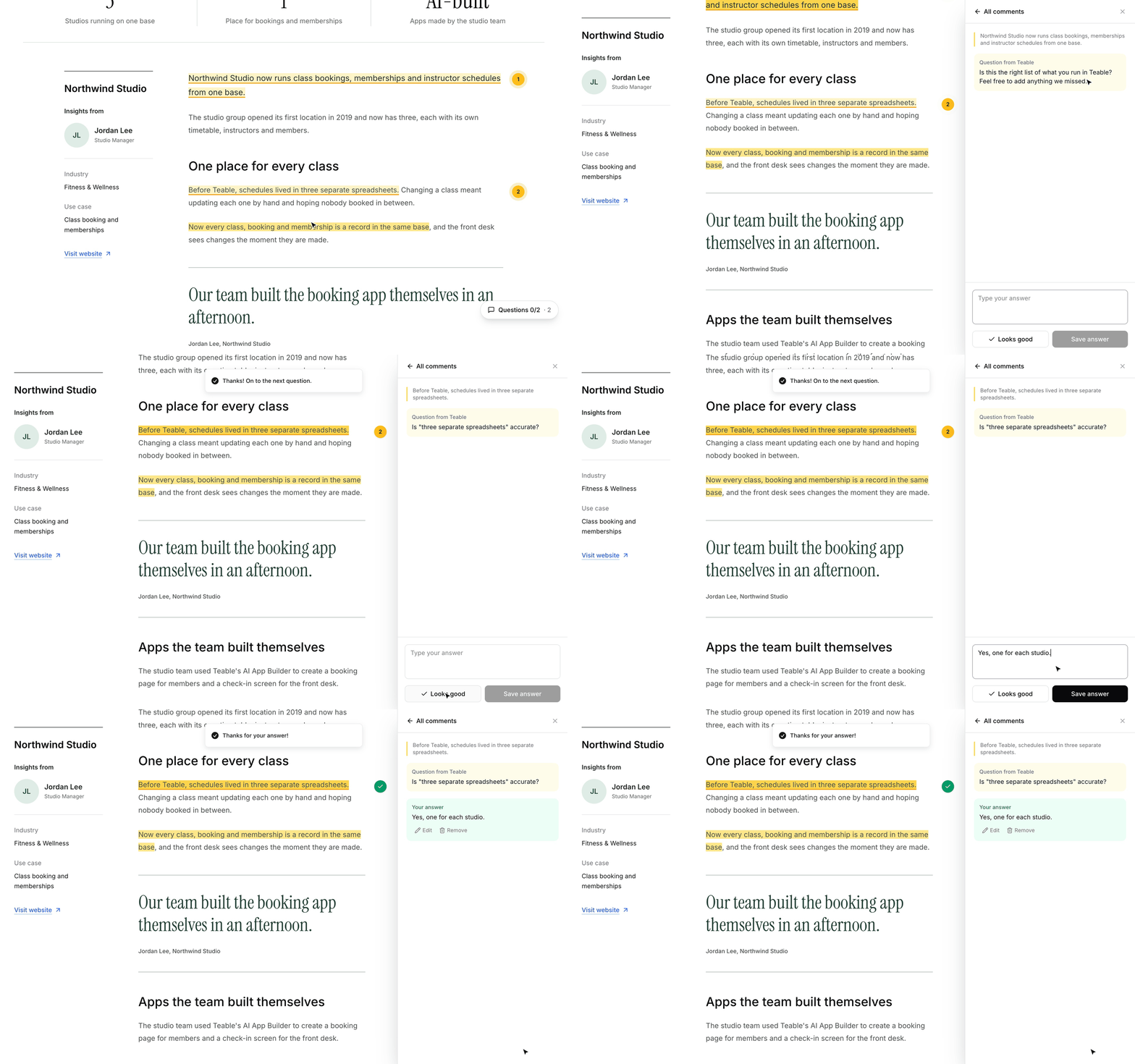
The review page is the published story, exactly as it will look on our site. Customers select a sentence to comment on it, and answer our questions with a click.
Once I've worked through a round of feedback, I click Publish new version, and the customer's preview link shows the new version right away.
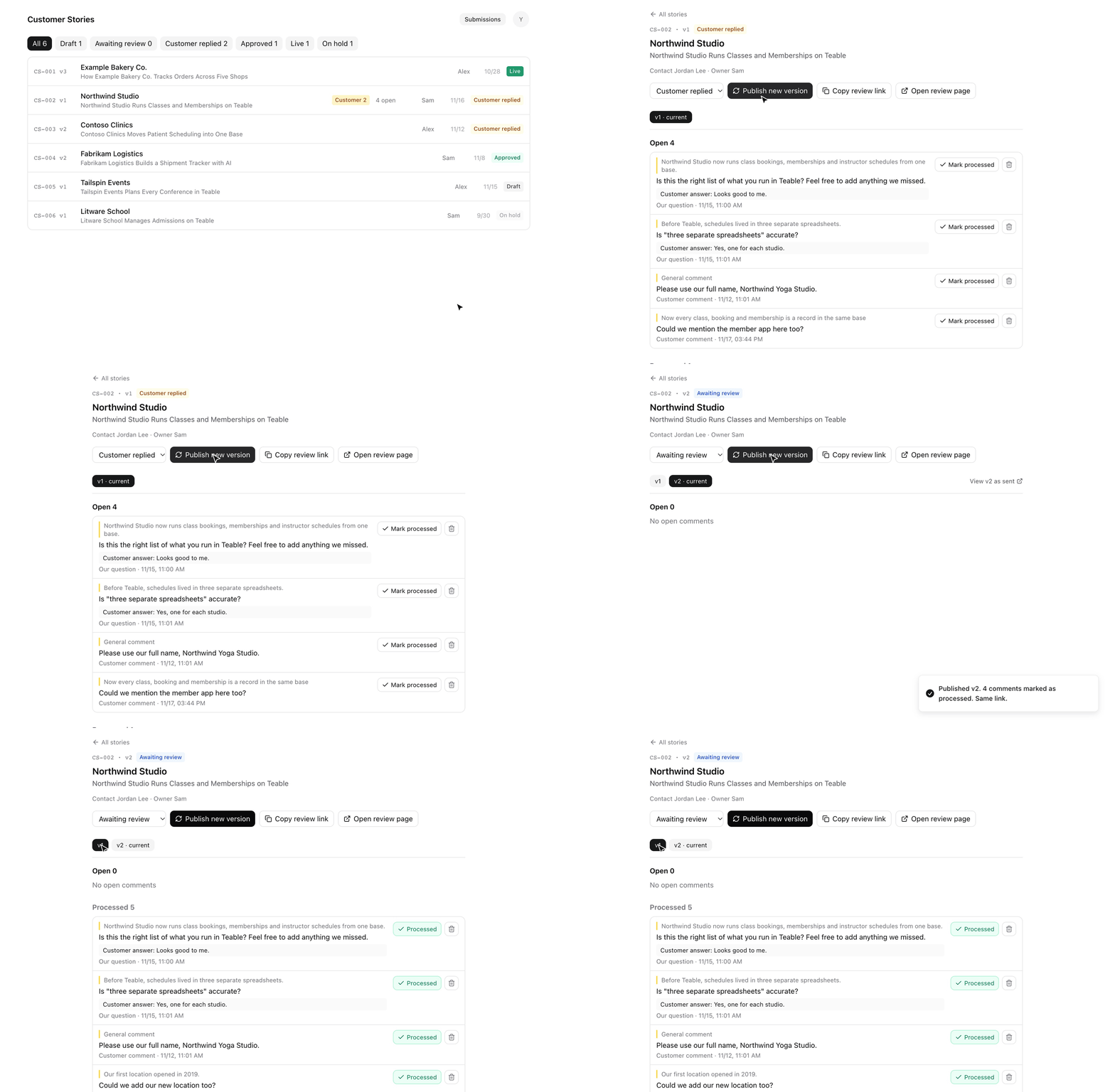
The biggest change is that I now have one workspace. Writing, reviewing, revising and publishing no longer live in separate systems.
The old way got the job done. But with Teable, you don't have to bend your work around the tools you already have. Of course, Teable can connect to the systems you already use. But why not build one on Teable that actually fits?
If you're building your own team's systems on Teable, we'd love to hear about it. Tell us what you've built, and we may turn it into our next customer story. You'd review it in the same app you just read about. You can share your story on Teable → right now.
The customers and content in the screenshots are fictional examples.


