
ProductBy Gary
Webhook Triggers Are Live
Introduced "When Webhook Received", a new incoming webhook trigger that lets external systems start an automation via HTTP request.
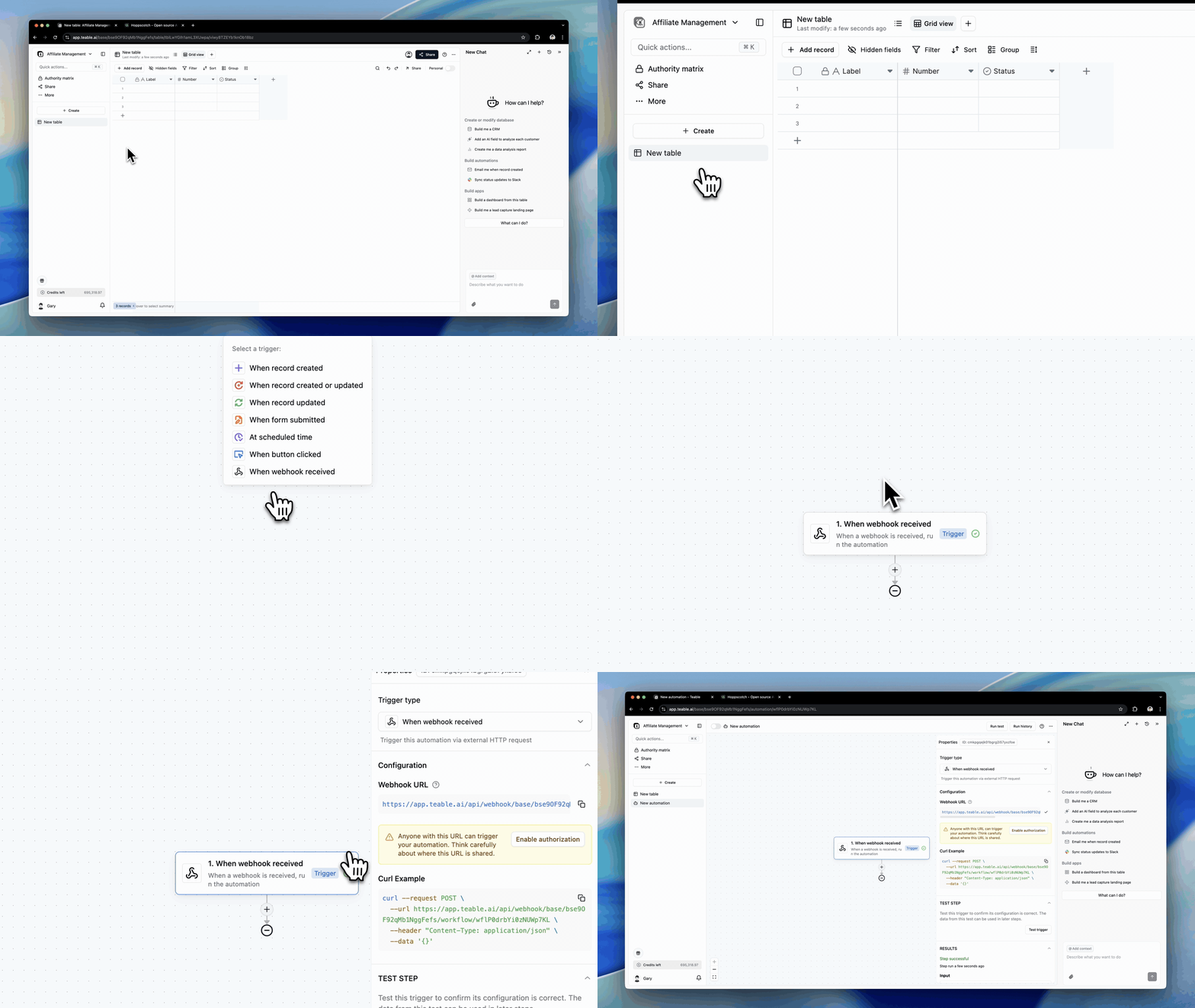
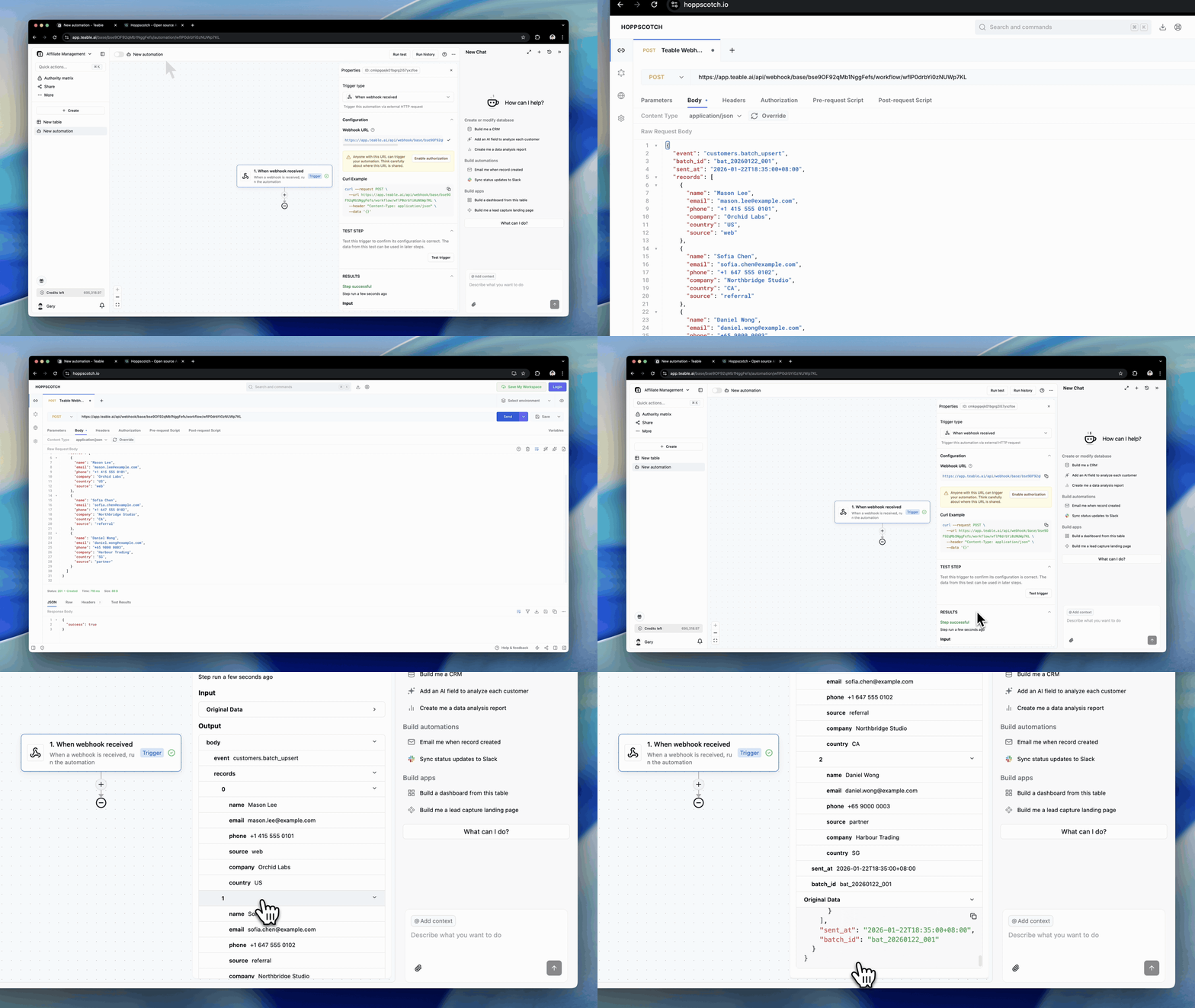
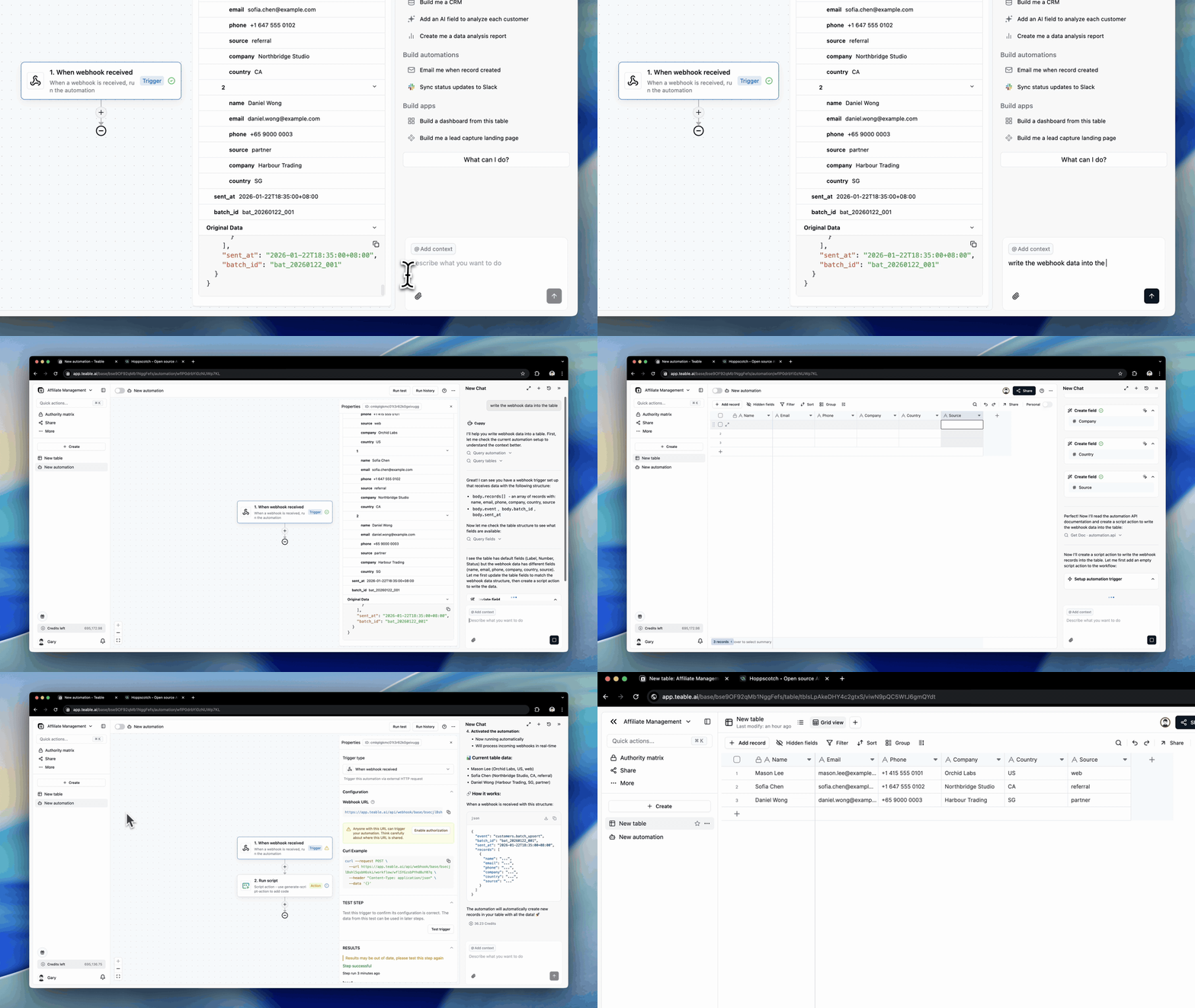
Now you can connect more data sources to Teable, like:
- Form submissions (Typeform, Tally) → create a new record per submission, then auto-assign + notify
- Payments (Stripe) → log payment/subscription events, update status, trigger follow-ups
- Ecommerce events (Shopify) → capture order/customer events into Teable and kick off ops workflows
- Affiliate tracking (Rewardful) → sync affiliates/referrals/commissions into tables and automate payouts/reviews
- CI/CD (GitHub Actions, GitLab CI, Jenkins) → POST build/deploy results to Teable and trigger post-release workflows
- Zapier / Make / n8n → connect almost any app to Teable by sending an HTTP request to this webhook URL. For outbound calls from Teable, use the HTTP request action.
- Standardized the styling of the Automation step selector for a more consistent UI.
- Added consistent Action descriptions within the selector to improve clarity and guidance.
- Fixed an issue where deleting a view used by one automation could cause all automations listening to the same table’s
recordUpdatedtrigger to fail; now only the misconfigured automation is skipped and the others run normally.
- Fixed an issue where the AI could incorrectly populate all example values into the first single-select field during table updates, causing repeated failures.
- Fixed an issue where text in the AI field custom prompt box could be hidden or cut off after resizing.
- Redesigned the Permission Matrix for better readability and scalability with large user lists.
- Fixed an issue where sections in authorization groups didn’t expand when adding many users, causing content to be clipped; sections now auto-expand based on user count.
- Fixed a reversed credit progress bar in the space dropdown.
- Consolidated Self-hosted License into Avatar menu → Settings:
- The original menu entry remains, but now redirects to the license section within Settings.
- Renamed “Purchase License” to “Buy Self-hosted License.”


